Effects
Stack effects like Kaleidoscope, Tile and Color Cycle on any visual, and decide whether they run before or after the crop.
· Screenshots show the iPhone app.
Add an effect
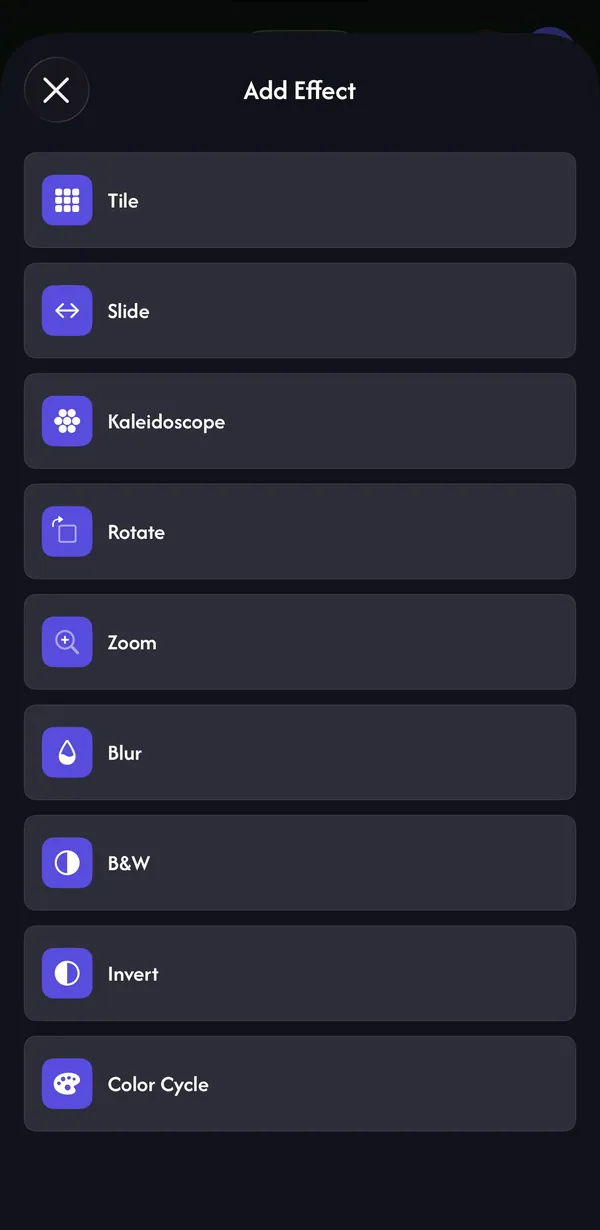
In Play, select a visual, open the Effects tab and tap Add Effect. Each effect has its own settings:
| Effect | What it does | Settings | Plan |
|---|---|---|---|
| Tile | Repeats the visual in a grid | Tiles (2–10) | Free |
| Slide | Scrolls the visual continuously | Speed | Free |
| Kaleidoscope | Mirrors the visual into segments | Slices (2–64), Diagonal | Pro |
| Rotate | Spins the visual | Speed | Pro |
| Zoom | Pushes in or pulls out | Amount | Pro |
| Blur | Softens the visual | Blur | Pro |
| B&W | Removes colour | Amount | Pro |
| Invert | Inverts the colours | — | Pro |
| Color Cycle | Shifts the hue over time | Speed, Amount | Pro |
Stack, reorder and switch off
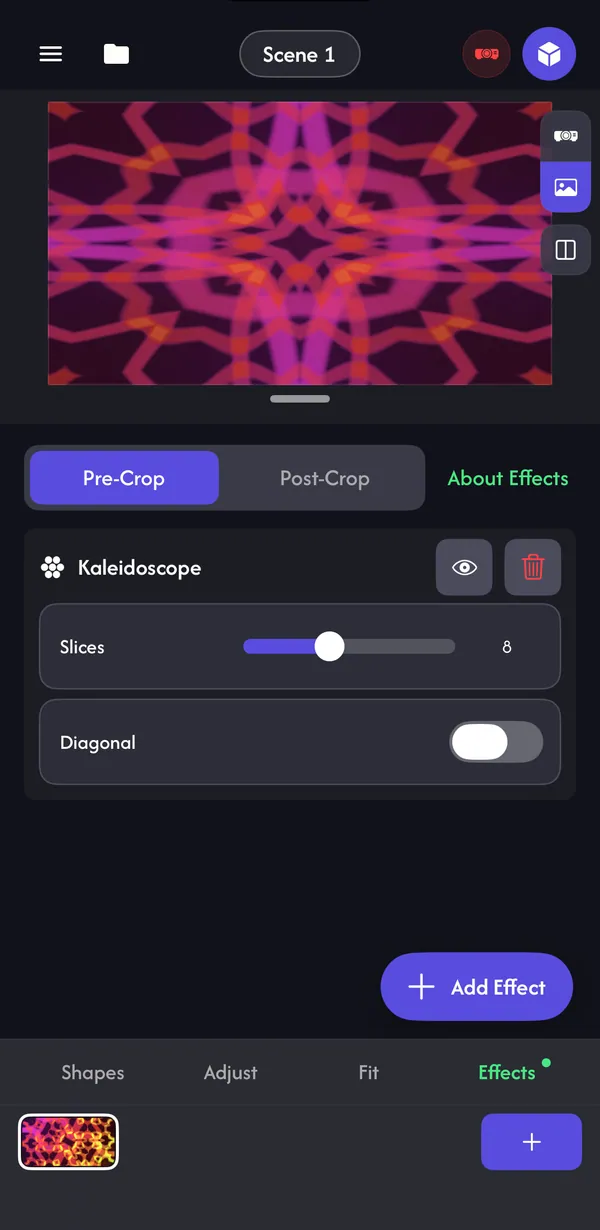
- Add as many effects as you like; they run in order from top to bottom, so order changes the result.
- Long-press an effect and drag it to reorder.
- The eye button switches an effect off without losing its settings. The bin deletes it straight away.
- A dot on the Effects tab tells you the selected visual has effects.
Pre-Crop or Post-Crop
Once a visual has an effect, choose where the effects run relative to the crop on the Fit tab:
- Pre-Crop — effects run on the full image, then the crop cuts into the result. Use it when the crop should frame the processed picture.
- Post-Crop — the crop happens first, then effects run on what's left. Use it when the effect should stay inside the cropped frame — for example a kaleidoscope centred on the cropped area.
Animate effect settings
Every effect setting can move on its own just like a visual's settings: tap the setting's row and link it to audio, an LFO, a MIDI knob or an envelope (Pro). A Kaleidoscope whose slices jump on the bass is a classic.
Audio reactivity, tempo & LFOs →Common questions
Which effects are free?
Tile and Slide. Kaleidoscope, Rotate, Zoom, Blur, B&W, Invert and Color Cycle need Pro.
Why does my effect look cut off at the edges?
Switch between Pre-Crop and Post-Crop. Post-Crop keeps the effect inside the cropped frame.