Christmas window projection: how to project Santa and snow from your phone
Put Santa, falling snow or a light tree in your window with one small projector: pick a screen, set up rear projection and map the window from your phone.
By Jake Silverstein
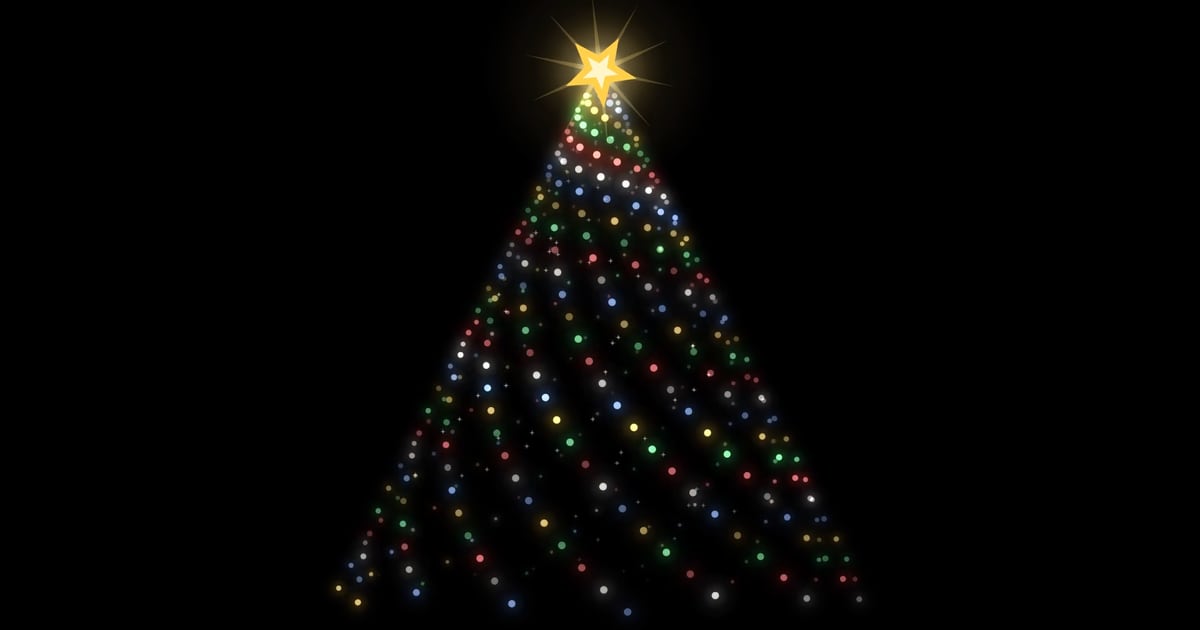
A Christmas window projection is the cheapest projected Christmas display you can put up. A small projector sits in a dark room, a white sheet hangs inside the glass, and people on the street see snow falling or Santa's sleigh crossing the moon in your window. You run it all from your phone.
This guide covers rear projection, screens, projector placement, fitting the scene to the window and the usual mistakes, with a short garage-door section at the end. The steps use Lazy Lighting for the mapping. Disclosure: we make Lazy Lighting.
Christmas projection mapping: windows, garage doors and the whole house →
Map it from your phone
Lazy Lighting turns your phone into a projection mapping tool for any projector, on iPhone, iPad and Android.
Free to download · optional Pro
Rear projection: why the projector goes inside
Window displays usually use rear projection. The screen hangs on the inside of the glass, the projector sits in the room behind it, and the image shines through the fabric to anyone outside. The room has to be dark, but the projector stays warm and dry, and you can adjust it without putting a coat on.
Projecting from the yard works less well: bare glass doesn't hold an image, and the projector sits out in the cold and damp.
The Halloween version of this guide →What you need
| Item | What to look for |
|---|---|
| Projector | Any projector with an HDMI input. After dark, 300+ ANSI lumens is enough for a window. We use the Nebula Capsule 3 Laser: 300 ANSI lumens, a built-in battery and Google TV, so it connects wirelessly with Lazy Lighting Link. Look for 1,000+ on a bright street or at dusk. |
| Screen | A white drop cloth, shower curtain liner, sheer fabric or rear-projection film. Compared below. |
| Tripod | Any camera tripod, so the projector sits level with the middle of the window. |
| Phone or tablet | An iPhone, iPad or Android phone or tablet with Lazy Lighting. There is no Mac or Windows version. |
| Connection | A USB-C or Lightning to HDMI adapter is the most reliable. Wireless: AirPlay from iPhone or iPad, screen mirroring on Android phones that support it, or Lazy Lighting Link on an Android TV or Google TV projector. Chromecast isn't supported. |
Choosing a window projection screen
The screen matters more than the projector. It must be thin enough to let light through, dense enough that the beam doesn't shine straight through as a bright spot, and flat.
- White drop cloth. The best place to start: cheap, easy to cut and even. Choose cotton canvas rather than plastic, and iron out the fold lines first, or they show as stripes from the street.
- White shower curtain liner. Thinner and a little sharper. A bright spot in the middle means the projector is too close; move it back or hang two layers.
- Sheer white curtain. A soft glow rather than a crisp picture. It suits falling snow better than Santa.
- Rear-projection film. Made for the job and the sharpest option, worth it if the display goes up every year.
Christmas window projection videos: what works best
Choose scenes on a black background. Black projects almost no light, so the fabric around the figure stays as dark as the room, and from the street Santa's sleigh seems to float in the glass instead of sitting in a glowing rectangle. A full-frame pattern lights up the whole window.
Slow movement reads best from across the road; busy patterns turn to mush.
- Lazy Lighting's built-in scenes. → 30 Christmas scenes: falling snow, Santa's sleigh crossing a full moon, a spiral light tree, a gingerbread parade, candy-cane stripes, knitted-sweater patterns with reindeer, snowmen, penguins and Santa, and wrapping-paper patterns of gifts, ornaments, bells, wreaths and snowflakes. The snow, sleigh, tree and parade are on black, the best fit for a window. Lazy Lighting is free to download; the free plan has four Christmas scenes (all patterns) with a small watermark on the projector output, and Pro (monthly, annual or lifetime) unlocks all 30.
- Santa videos you buy. AtmosFX sells Christmas digital decorations as MP4 downloads, including several Santa titles and window versions made for this. Import the file into Lazy Lighting and map it like a built-in scene.
- Free loops on YouTube. Plenty exist, but they play as a plain rectangle from the projector's YouTube app or a mirrored phone, so they can't be fitted to the window.
Map it from your phone
Lazy Lighting turns your phone into a projection mapping tool for any projector, on iPhone, iPad and Android.
Free to download · optional Pro
How to set up a Christmas window projection
- 1
Hang the screen. Cut the material a few centimetres larger than the glass and fix it taut across the inside of the frame. Stick a small piece of tape on the fabric just outside each corner of the glass, over the frame where nobody outside can see it. Once the screen is up, these marks show you where the glass ends.
- 2
Place the projector. Put it on a tripod level with the middle of the window, pointing straight at it, and move it back until the image covers the window with a little to spare; with a small projector that's usually a metre or two.
- 3
Switch on rear projection. In the projector's settings (often projection mode or placement), choose rear. Do it before you map, because it flips the image left to right. Without it, Santa flies the wrong way and text reads backwards from the street.
- 4
Turn off keystone and focus. Switch auto keystone off and set keystone to zero so it doesn't fight the mapping, then focus on the fabric.
- 5
Connect and darken the room. Plug in the HDMI adapter or connect wirelessly. Switch off the lamps, close doors to lit hallways, and unplug the tree lights if the tree is in the same room.
- 6
Map the window. In Lazy Lighting, open Mapping, tap + and add a Square. Watching the projection, not the phone, drag each corner to the corner of the glass, using the tape marks as a guide; pinch to zoom for the last few millimetres. For an arched window, trace the opening with an Outline shape instead. The scene should fill the glass exactly, with no light spilling onto the walls around it. From inside the image is mirrored, so a corner you drag right moves left.
- 7
Pick a scene. Switch to Play, tap + and choose one; falling snow or Santa's sleigh is a good start. If the projector covers more than one window, as in a bay, give each its own shape and scene: a Santa video you bought in one, built-in snow in the others.
- 8
Check from the street. Walk across the road, fix any corner that overshoots, then leave the projector alone. Keep the phone charging and, on iPhone, set Auto-Lock to Never.
Common mistakes
- A light left on in the room. A lamp, a TV, a lit hallway or the tree lights will wash the image out. The room has to be dark.
- Mapping before switching to rear projection. Flipping the image afterwards throws every shape to the other side. Set rear mode first.
- Taping the screen to the glass. Adhesive grips poorly on cold, damp winter glass. Fix the screen to the frame or use a tension rod in the recess.
- Fabric near a heater. Radiators often sit right under windows. Keep the screen clear of them, and of candles.
Garage door: the outdoor version
A Christmas garage door projection works the other way round: the projector stands on a tripod in the driveway and lights the door directly, with no screen. You map it the same way, with one Square shape on the door, but it needs 3,000+ ANSI lumens after dark, roughly ten times a window, so a small indoor projector won't do.
Our outdoor pick is the XGIMI Horizon 20 Pro, which fills at most about 6.6 m (22 ft) wide, enough for a standard double garage door. Light-coloured doors work best. Use big, slow scenes like the light tree, keep the projector under cover, and use outdoor-rated extension cords.
Projectors for garage door projection compared (Find My Projector) ↗Want to go bigger?
Once the window works, the rest of the house is the same idea from across the street, with a shape and a scene for each window, door and wall panel. A whole house front takes under 30 minutes to map but needs 4,000–5,000+ ANSI lumens, and since our outdoor pick fills at most about 6.6 m (22 ft) wide, on a bigger house you map the street-facing section.
Christmas projection mapping for the whole house →Frequently asked questions
- How do I project Santa in a window? Hang a white drop cloth or shower curtain liner tight inside the window, put a projector on a tripod in the dark room behind it and set it to rear projection. Connect your phone, map the window in Lazy Lighting and play a Santa scene on black: the built-in Santa's sleigh (a Pro scene) or a Santa video you've bought and imported.
- What do I use as a window projection screen? A white drop cloth is the easiest start. A shower curtain liner is sharper, sheer fabric gives a softer glow, and rear-projection film is the sharpest of all.
- How bright does the projector need to be? 300+ ANSI lumens after dark is enough for a window projected from inside; the Nebula Capsule 3 Laser we use puts out 300. Aim for 1,000+ on a bright street or at dusk, 3,000+ for a garage door and 4,000–5,000+ for a house front. Go by ANSI lumens, not the bigger "lumens" figure on many listings.
- Can people see it from the street? Yes, that's the point of rear projection: the fabric spreads the image so it shows from the sidewalk and across the road after dark. It looks best from straight on, and the screen hides the room behind it.
- Can I project the Grinch or other character videos? Not with the built-in scenes: Lazy Lighting doesn't include the Grinch or other licensed characters. Character videos come from sellers licensed by the rights holder; if you buy one as a video file, you can import it and map it to the window. Clips copied from films or re-uploaded to YouTube usually aren't licensed for this.
- Can I do a garage door instead? Yes, as an outdoor display with the projector in the driveway and no screen. It needs 3,000+ ANSI lumens after dark; our pick, the XGIMI Horizon 20 Pro, fills up to about 6.6 m (22 ft) wide.