Die beste Projection-Mapping-Software für PC und Mac
Mapping-Software für den Desktop im Vergleich: MadMapper, Resolume Arena, HeavyM und TouchDesigner – und wo eine native Smartphone-App ins Setup passt.
Von Lazy Lighting · Aktualisiert am
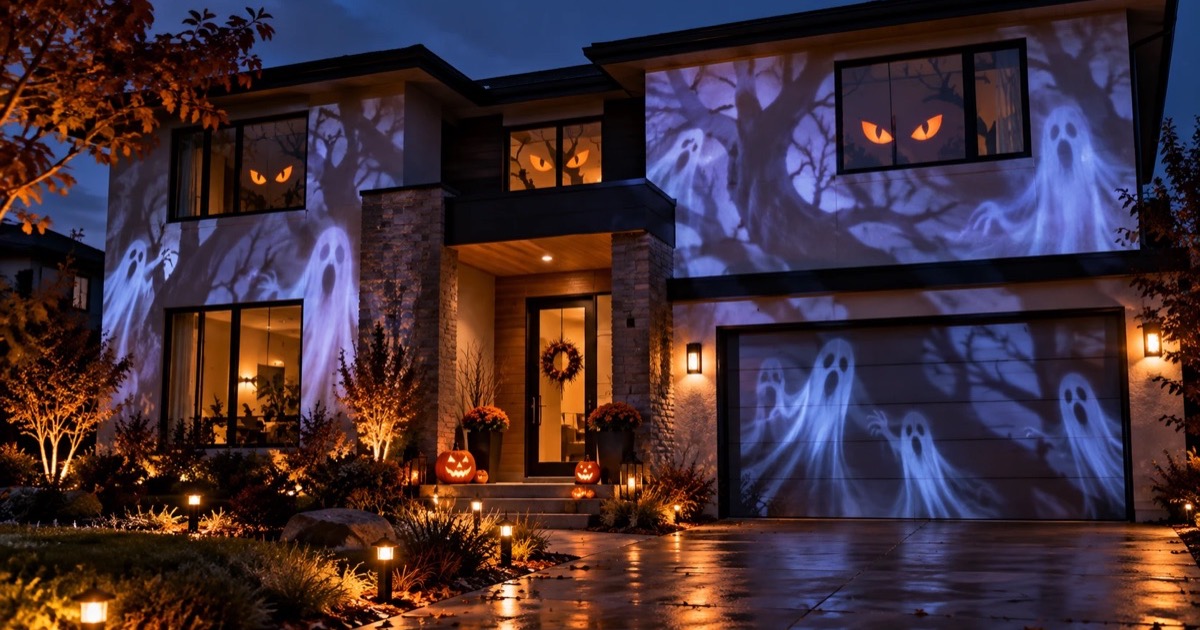
Auf dem Desktop ist Projection Mapping groß geworden. Ausgabe auf mehrere Projektoren, Capture-Karten, DMX-Geräte und stundenlange sequenzierte Shows sind hier zu Hause, und das zeigt sich auch bei der Software: umfangreichere Werkzeuge, steilere Lernkurven und Preise für Profi-Lizenzen.
Dieser Überblick zeigt die Tools, die du 2026 kennen solltest, und wofür sie jeweils wirklich gedacht sind. Transparenzhinweis: Wir entwickeln Lazy Lighting, das am Ende als schlanke Option in der Liste auftaucht.

Mapping direkt vom Smartphone
Lazy Lighting macht dein Smartphone zum Projection-Mapping-Werkzeug für jeden Projektor, auf iPhone, iPad und Android.
Kostenloser Download · Pro optional
MadMapper – der Mapping-Spezialist
MadMapper ist das Referenz-Tool für das eigentliche Mapping. Vierecke, Meshes und Masken mit präziser Steuerung, ein räumlicher Scanner, der mithilfe einer Kamera Inhalte an komplexe Flächen anpasst, Mapping von LED- und DMX-Geräten sowie der Hardware-Player miniMad, mit dem Installationen ohne angeschlossenen Computer laufen.
Medien und generative Inhalte spielt es gut ab, aber es ist in erster Linie Mapping-Software: Viele Produktionen kombinieren es mit einem VJ-Tool oder Medienserver, der die Inhalte liefert. macOS und Windows, kostenpflichtige Lizenz mit Testversion.
Resolume Arena – das Arbeitstier für Live-Shows
Resolume gibt es in zwei Editionen: Avenue ist das VJ-Instrument, Arena ergänzt Werkzeuge für Mapping, Blending und Ausgabe. Arena läuft in Tourbussen und auf Festivalbühnen: Clips im Raster starten, Effektketten, BPM-Sync und Projektorausgabe mit Edge Blending für Projektionswände aus mehreren Projektoren.
Geht es um eine Live-Show, bei der Mapping ein Teil einer größeren visuellen Performance ist, ist Arena die Standardantwort. macOS und Windows, kostenpflichtige Lizenz pro Edition.
Mapping direkt vom Smartphone
Lazy Lighting macht dein Smartphone zum Projection-Mapping-Werkzeug für jeden Projektor, auf iPhone, iPad und Android.
Kostenloser Download · Pro optional
HeavyM – der leichte Einstieg
HeavyM tauscht Tiefe gegen Tempo: Formen über deine Flächen zeichnen, mit integrierten animierten Effekten oder eigenen Medien füllen – und an einem Nachmittag steht eine vorzeigbare Show. Vom Ansatz her ist es das Desktop-Tool, das den mobilen Apps am nächsten kommt, und ein sinnvoller erster Schritt auf den Desktop, wenn ein Smartphone-Setup zu eng wird. macOS und Windows, Abo oder Dauerlizenz mit Testversion.
TouchDesigner – die Option zum Selberbauen
TouchDesigner ist keine Mapping-App, sondern eine knotenbasierte visuelle Programmierumgebung, in der du dir eine Mapping-App bauen kannst – und vieles mehr. Interaktive Installationen, sensorgesteuerte Visuals und eigene Pipelines sind sein Revier. Die Lernkurve ist real, aber die nicht-kommerzielle Lizenz ist kostenlos – für Tüftler damit das beste Preis-Leistungs-Verhältnis im Feld. macOS und Windows.
Lazy Lighting – die schlanke Option
Eine Smartphone-App in einem Desktop-Vergleich verdient sich ihren Platz auf zwei Arten. Erstens als Setup, das du an Orte mitnimmst, an die ein Laptop-Rig nie käme: Lazy Lighting erledigt den kompletten Ablauf – Mapping, eine Bibliothek mit über 190 Visuals, Szenen, Timeline, Audioreaktivität, MIDI – auf dem Gerät, das du ohnehin in der Tasche hast.
Zweitens macht sie den Einstieg leicht. Mit Smartphone oder Tablet (iPhone, iPad oder Android) und einem beliebigen Beamer mit HDMI-Eingang ist die erste Fläche in wenigen Minuten gemappt, bevor du entscheidest, ob sich eine Desktop-Lizenz lohnt. Für Mac und Windows gibt es Lazy Lighting nicht; am Computer brauchst du eines der Programme oben.
Sieh dir an, was die App kann →Welche Software passt zu dir?
- Präzises Mapping, LED und Installationen: MadMapper.
- Live-Shows und Festivalbühnen: Resolume Arena.
- Schnelle Ergebnisse mit flacher Lernkurve: HeavyM.
- Individuelle interaktive Projekte, kostenlos für nicht-kommerzielle Nutzung: TouchDesigner.
- Gemappte, audioreaktive Visuals vom Smartphone oder Tablet: Lazy Lighting.