Projection mapping software: the best tools for Mac, Windows, iPhone and Android (2026)
Projection mapping software compared: MadMapper, Resolume, HeavyM, TouchDesigner, free tools and phone apps, with prices, free versions and who each suits.
By Jake Silverstein · Updated
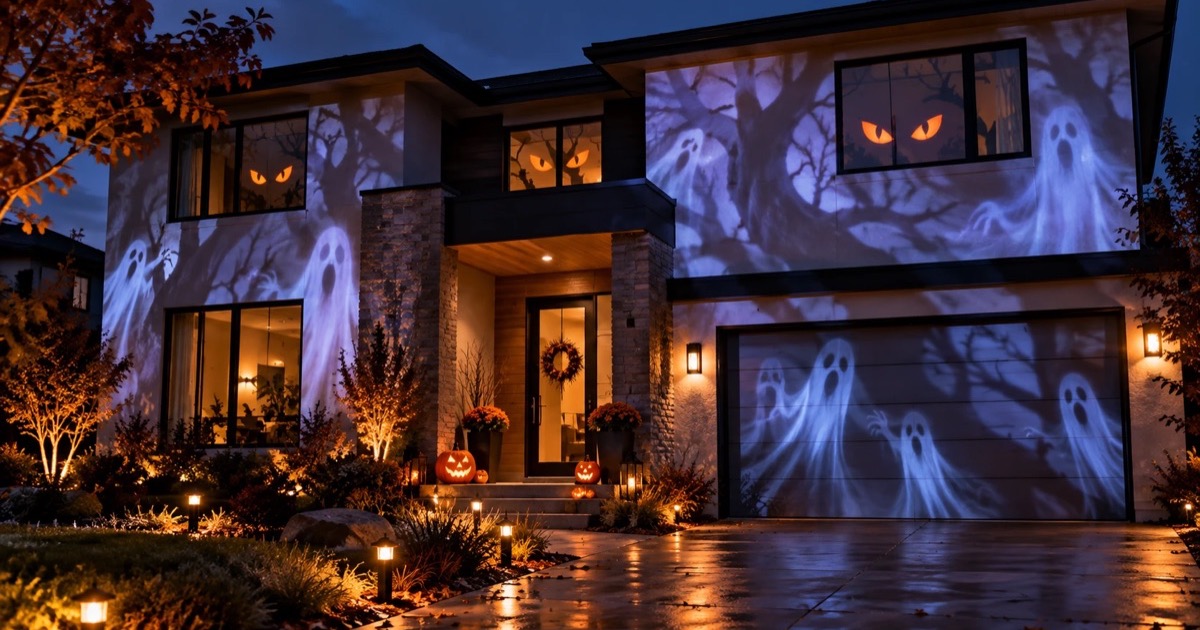
Projection mapping software takes a video, splits it into shapes and bends each shape to fit a real surface: a wall, a window, a box, the front of a house. Which tool is best depends almost entirely on the job. A festival stage with four projectors, a theater cue list and a Christmas window are three different problems, and the right software for one is wrong for the others.
This guide covers every tool worth knowing in 2026, on Mac and Windows, on iPhone, iPad and Android, and in a web browser, including the free ones and what their free versions leave out. Prices and free-version limits come from each vendor's official site or store listing, checked in October and November 2026; they exclude tax and can change. Disclosure: we make Lazy Lighting, one of the tools listed. We've tried to be plain about where it fits and where a desktop tool is the better choice.

Start on the phone you already have
Lazy Lighting maps walls, windows and objects from an iPhone, iPad or Android phone with any projector, no computer needed. It's free to download, with an optional Pro plan.
Free to download · optional Pro
The short answer
- Easiest start, one projector, no computer: Lazy Lighting on iPhone, iPad or Android. Free to download; Pro removes the watermark.
- Precise mapping, LEDs and installations on Mac or Windows: MadMapper.
- Live shows, VJ sets and multi-projector stages: Resolume Arena.
- The easiest desktop tool to learn: HeavyM.
- Interactive and generative work, free for unpaid projects: TouchDesigner.
- Theater and cue-based shows: Isadora, Millumin (Mac) or QLab (Mac).
- Completely free on a computer: VPT 8 on Mac and Windows, or Map Club in a web browser.
Projection mapping software compared
| Software | Runs on | Price | Free option | Best for |
|---|---|---|---|---|
| Lazy Lighting | iPhone, iPad, Android | Pro monthly, annual or lifetime ($9.99 to $129.99 on iOS) | Free plan: mapping, about 20 visuals, your own media; watermark, no saving | Beginners, home and holiday displays, small events |
| MadMapper | Mac, Windows | From €399 perpetual or €39/month | Free version: watermark, no saving, exports off | Precision mapping, LED and DMX installations |
| Resolume Arena | Mac, Windows | €799 | Demo: watermark and a robot voice in the audio | Live shows, VJ sets, edge blending |
| HeavyM | Mac, Windows | From €219 one-time | Demo: every feature, logo on output, no saving | Fast results with a gentle learning curve |
| TouchDesigner | Mac, Windows | Commercial $600 one-time | Non-Commercial: free for unpaid work, 1280×1280 cap | Interactive and generative installations |
| Isadora | Mac, Windows | US$725, or $199 a year | Demo runs fully but can't save | Theater and interactive performance |
| Millumin | Mac only | Paid license | 30-day trial, then watermark | Theater and live shows on a Mac |
| QLab | Mac only | Paid video features | Free feature tier | Theater cue playback |
| VPT 8 | Mac, Windows | Free | Everything, no watermark | Free desktop mapping; no longer developed |
| Map Club | Web browser | Free | Everything, no account | Free mapping from a laptop |
| MapMap, Splash | Linux; build from source elsewhere | Free, open source | Everything | Tinkerers and dome installations |
Projection mapping, video mapping, projector mapping: is it the same thing?
Yes. Projection mapping is the standard name. Video mapping is the usual term in much of Europe and Latin America, projector mapping puts the emphasis on the hardware, and "projection mapper" or "light mapping" app usually means the same kind of software. Spatial augmented reality is the academic name.
Whatever it's called, the software does three jobs: it divides the picture into surfaces, lets you move each surface's corners or mesh until it lines up with the real object, and plays content inside each surface while everything else stays black.
Desktop or phone: which kind of software do you need?
Desktop software is where projection mapping grew up. Several projectors, capture cards, DMX lighting, edge blending and long sequenced shows all need a computer, and the desktop tools have the depth and the price to match.
A phone or tablet removes the desk. For one projector and a living-room sculpture, a shop window, a classroom or a Christmas house, mapping from the device in your hand is faster: you stand where you can see the surface and drag corners until they line up. You give up multi-projector output and show control.
- Choose desktop software if you need more than one projector, edge blending, DMX or Art-Net, Syphon or Spout, NDI, or a cue list for a rehearsed show.
- Choose a phone or tablet app if you have one projector, want to set up where the surface is, and would rather not carry a laptop outside.
MadMapper: the mapping specialist
MadMapper is the reference tool for the mapping itself: quads, meshes and masks with precise control, a spatial scanner that uses a camera to help align content to complex surfaces, LED and DMX fixture mapping, and the miniMad hardware player for running installations without a computer.
It plays media and generative materials well, but it's mapping-first: many productions pair it with a VJ tool or media server. A perpetual license starts at €399 or €39 a month to rent, excluding tax. The free version includes every feature, but the output is watermarked, you can't save or load, exports are off and DMX blacks out every 30 seconds.
MadMapper alternatives, free and paid →Resolume Arena: the live show workhorse
Resolume comes in two editions: Avenue is the VJ instrument, and Arena adds mapping, edge blending and output tools. Arena is what runs on tour buses and festival stages: clip launching on a grid, effect chains, BPM sync and projector output with edge blending for multi-projector walls.
If mapping is one part of a bigger live visual performance, Arena is the default answer. It costs €799. The demo runs as long as you like, with a Resolume watermark on the video and a robot voice in the audio.
The best VJ software in 2026 →HeavyM: the easiest desktop tool to learn
HeavyM trades depth for speed: draw shapes over your surfaces, fill them with built-in effects or your own media, and sync them to music. It's the desktop tool closest in spirit to the phone apps, and a sensible first desktop step.
Licenses are one-time: €219 for Live (one output up to 1920×1200), €439 for Pro (unlimited outputs, edge blending, a timeline, DMX via Art-Net and NDI) and €539 for Pro+, or six monthly payments. The demo has every feature and no time limit, but shows the HeavyM logo on the output and can't save or load projects.
Start on the phone you already have
Lazy Lighting maps walls, windows and objects from an iPhone, iPad or Android phone with any projector, no computer needed. It's free to download, with an optional Pro plan.
Free to download · optional Pro
TouchDesigner: build it yourself
TouchDesigner isn't a mapping app; it's a node-based visual programming environment in which you can build one, and much else. Interactive installations, sensor-driven visuals and custom pipelines are its home ground. The learning curve is real, so it's a poor fit if you just want a video on a wall this weekend.
The Non-Commercial license is free and includes almost everything as long as nobody pays you for the work, with output capped at 1280×1280 and a splash screen. A Commercial license is $600 one-time (Educational $300).
Isadora, Millumin and QLab: for theater and cue-based shows
- Isadora (Mac and Windows). TroikaTronix's node-based tool for theater and interactive work, with projection mapping built in. US$725 perpetual or $199 a year; demo mode runs fully but can't save changes.
- Millumin (Mac only). A timeline-and-cue tool popular in theater and live shows. The trial runs 30 days with no limits, then watermarks the output.
- QLab (Mac only). Cue-based show control rather than a mapping tool, but theater teams use its video features for projection with basic surface adjustments. There's a free feature tier; video features are paid.
Lazy Lighting: projection mapping on iPhone, iPad and Android
Lazy Lighting runs the whole job on a phone or tablet: you add a shape, drag its corners onto your object while you watch the projection, and fill it with a visual. It has squares, circles, text, freehand outlines, cubes and boxes, masks, a library of 190+ visuals including 45 Halloween and 30 Christmas scenes, your own videos and photos, scenes and a timeline, and audio-reactive visuals, BPM sync and MIDI.
It connects to any projector with an HDMI input through a USB-C or Lightning adapter, by AirPlay or Android screen mirroring, or with Lazy Lighting Link on Google TV and Android TV projectors. The free plan includes the mapping tools, masks, your own media and about 20 visuals, with a small watermark on the projector output and no saving. Pro (monthly, annual or lifetime) removes the watermark and adds saving and the full library. It has 4.6 stars from 444 ratings on the US App Store.
Its limits: one projector output, no Mac or Windows version, and no DMX, Art-Net, Syphon, Spout or edge blending. For those, use one of the desktop tools above.
How Lazy Lighting works, step by step →Other projection mapping apps for phones and tablets
On iPhone and iPad, ILW Light Mapper is free apart from optional tips and one visual pack, HappyMapper curves shapes around arches and furniture with one shape free, and Pro Mapper and ProjectX sell weekly to lifetime plans. On Android, Projection Mapper: Video&Light and FluxBeam are completely free with ads, and PicoMap gives you one layer free.
Our app roundups compare each one with prices, ratings and how it connects to a projector.
Free projection mapping software: what you actually get
"Free" means four different things here: a few tools are completely free, one is free as long as nobody pays you, most paid tools have a demo that never expires but watermarks the output or won't save, and phone apps are free to download with paid extras.
- VPT 8 (Mac and Windows, completely free). ↗ HC Gilje's Video Projection Tool has no watermark and no paid tier. It mixes recorded and live camera footage, has presets and a cue list, and takes OSC, MIDI, Art-Net, Syphon and Spout. The catch: VPT 8 came out in 2018 and is the last release, with a Big Sur update and an Apple Silicon beta, so test it on your computer first.
- Map Club (web browser, free). Runs in Chrome, Firefox, Safari or Edge on Mac, Windows and Linux with nothing to install and no account: mesh and corner warping, unlimited surfaces, masks, and images, videos and shaders. Output goes to a separate browser window you make full screen on the projector. Projects live in your browser, so clearing its data deletes them.
- TouchDesigner Non-Commercial (free for unpaid work). Nearly the full tool, capped at 1280×1280, with no paid projects allowed.
- MapMap (open source). Often recommended, but the last tagged release is from 2018. Development restarted in 2026; the download page offers Linux packages and lists Mac and Windows installers as coming soon.
- Splash (open source). Actively developed (0.12.6, September 2026). You give it a 3D model of the surface and it calibrates and blends one or more projectors onto it. Built for domes and multi-projector installs; Linux via Flathub, built from source on Windows.
- Free demos of paid tools. HeavyM, MadMapper, Resolume Arena and Isadora all have free versions that are good for learning, but each watermarks the output or can't save, so none runs a real show.
- Phone and tablet apps. Lazy Lighting is free to download with a watermarked free plan. ILW Light Mapper (iPhone and iPad) and Projection Mapper and FluxBeam (Android, with ads) are free throughout.
How to choose without buying twice
- 1
Count the projectors. One projector opens up every option, including phone apps. Two or more, or edge blending, means desktop software.
- 2
Decide if the show is rehearsed or live. A cue list or timeline suits theater and installations; clip launching and BPM sync suit live sets.
- 3
List what else it has to talk to. DMX lights, LED fixtures, Syphon or Spout, NDI, sensors or MIDI controllers rule some tools in and others out.
- 4
Be honest about learning time. TouchDesigner and Isadora reward weeks of learning; HeavyM and phone apps get results in an evening.
- 5
Test the free version on your real surface. Every tool here has a free version or demo. Map your actual wall, window or object with it before you pay.
What you need besides the software
A projector and a way to send it a picture. Any projector with an HDMI input works for indoor projects; brightness matters more than resolution. A box or a window in a dark room needs about 300 ANSI lumens, a garage door 3,000 or more, and the front of a house 4,000 to 5,000 or more.
On a computer, the projector is a second display. On a phone or tablet, it's an HDMI adapter or a wireless connection.
Connect your phone to a projector: every way →Frequently asked questions
- What is the best projection mapping software? It depends on the job. MadMapper for precise mapping and installations, Resolume Arena for live shows, HeavyM for the easiest desktop start, TouchDesigner for interactive work, and Lazy Lighting for mapping with one projector from a phone or tablet.
- What's the best projection mapping software for beginners? With a phone or tablet, Lazy Lighting: free to download and mapping in minutes. On a computer, HeavyM is the easiest to learn.
- Is there completely free projection mapping software? Yes. VPT 8 for Mac and Windows and Map Club in a web browser are free with no watermark; MapMap and Splash are open source, mainly for Linux; TouchDesigner is free for unpaid work up to 1280×1280.
- Is there projection mapping software for Windows? Yes: MadMapper, Resolume Arena, HeavyM, TouchDesigner, Isadora and VPT 8 all run on Windows. Millumin and QLab are Mac only.
- Can I do projection mapping on my phone? Yes. Lazy Lighting runs on iPhone, iPad and Android and connects to a projector by cable or wirelessly. Other apps include ILW Light Mapper and HappyMapper on iPhone, and Projection Mapper and FluxBeam on Android.
- Is MadMapper free? Not for real use. The free version has every feature but watermarks the output and can't save. Licenses start at €399, or €39 a month.
- Is HeavyM free? It has a free demo with every feature and no time limit, but it shows the HeavyM logo on the output and can't save. Licenses start at €219.
- Does Lazy Lighting work on Mac or Windows? No. It runs on iPhone, iPad and Android. On a computer, use one of the desktop tools above.
Related guides
- What is projection mapping? → How it works, the main types and famous examples.
- How to do projection mapping → A beginner tutorial with one projector and a phone.
- MadMapper alternatives → Free and paid options for Mac and Windows.
- The best VJ software → Resolume, MadMapper, VDMX and TouchDesigner for live visuals.