There's no such thing as a Christmas projector: use the one you have
Most "Christmas projectors" are either light projectors that can't play video or an ordinary projector sold with a few scenes. What to buy, and what not to.
By Jake Silverstein · Updated
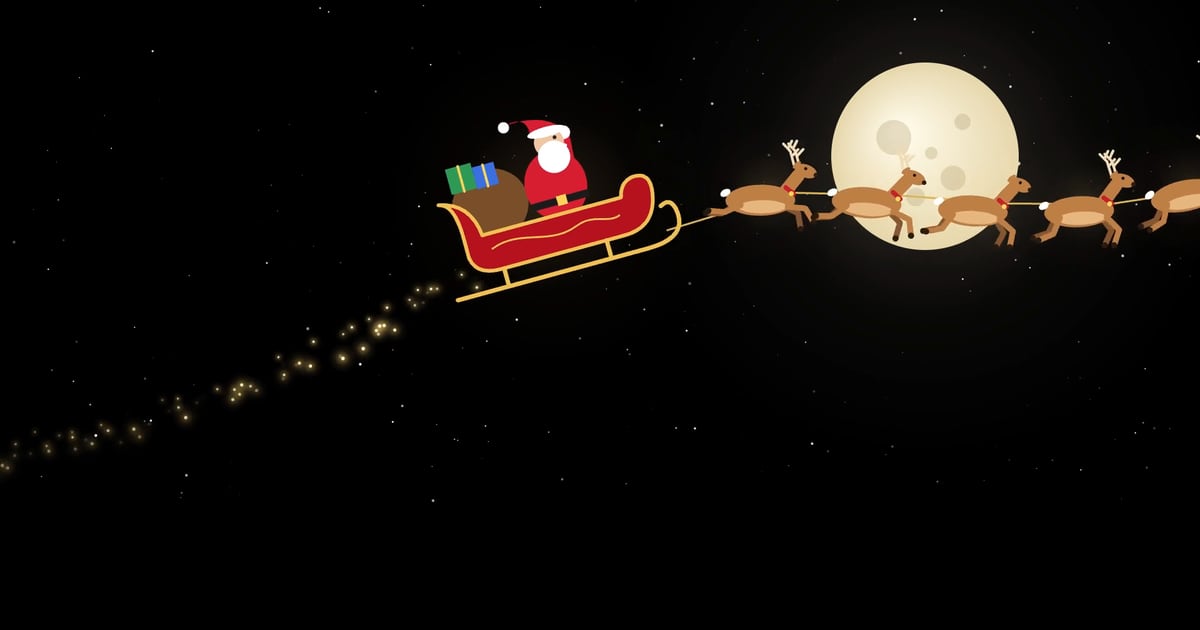
Search for a Christmas projector and you'll find two very different things: $20 to $50 light projectors that throw moving dots or snowflakes across the house, and holiday projector kits that put Santa in your window for a few hundred dollars. Here's the thing about the second kind: there's no such thing as a Christmas projector. Those kits are an ordinary video projector with some Christmas videos on a USB stick.
So don't pay extra for the word Christmas. Any projector with an HDMI input can show Santa's sleigh, falling snow or moving wrapping paper, and a phone app can fit the scene to your window, garage door or house. This guide covers what's actually being sold, when a cheap light projector is the right buy, and how to turn the projector you already have into a Christmas display. Disclosure: we make Lazy Lighting, the app in the steps below.
Christmas projection mapping: windows, garage doors and the whole house →
30 Christmas scenes built in
Use the projector you have: Lazy Lighting fits falling snow, Santa's sleigh and 28 more scenes to your windows, doors and house front from your phone. Four are on the free plan.
Free to download · optional Pro
What's sold as a "Christmas projector"
Three different kinds of product share the name. Only one of them is a video projector, and it isn't a special one.
- Light projectors (laser or LED slides). The boxes you stake in the yard, usually $20 to $50. A laser model scatters thousands of red and green dots across the house; an LED model throws snowflakes, stars or simple shapes from a slide or disc. They're bright, weatherproof and need no setup, but they can't play video, and the pattern can't be fitted to a window or a door.
- Scene and night lamps. Small indoor lamps that turn a picture or a "holographic" pattern slowly across a ceiling or wall. Fun in a kid's bedroom, but not a video projector either.
- Christmas projector kits. These are the ones that play Santa in your window. Open the box and you'll find a regular mini projector, a window screen and a USB stick of Christmas videos. AtmosFX's own kits, for example, were built around ViewSonic's M1 mini projectors, which ViewSonic also sells on their own for any use. In October 2026, the retail listings we found for kits that include a projector ran from about $230 to $280.
Light projector vs kit vs the projector you have
| Fitur | Laser or slide light projector | Christmas projector kit | Any projector + Lazy Lighting |
|---|---|---|---|
| Typical cost | $20–$50 | About $230–$280 with the projector | Nothing extra if you own a projector; the app is free to download |
| Plays video | No | Yes | Yes |
| Fits a window, door or house shape | No | Only by moving or zooming the projector | Yes: drag the corners on your phone |
| Christmas scenes | Fixed patterns | The videos on the USB stick | 30 built in, plus your own videos |
| Outdoors in the rain | Usually fine (check the IP rating) | No: it's an indoor projector | Depends on the projector |
| Best for | Covering the whole yard in color | Plug-and-play for one window | Windows, garage doors, presents and house fronts |
Why any projector works
A video projector doesn't know what it's showing. Santa's sleigh, a movie and a slideshow all arrive the same way, as a picture over HDMI or Wi-Fi. What makes a display look like Christmas is the content and how well it fits the surface, not the projector.
That means the projector you already own works: a home theater projector, an old office projector, or a small one bought for movie night. If it has an HDMI input, your phone can connect to it with a cable. Android TV and Google TV projectors can also connect over Wi-Fi with Lazy Lighting Link.
What does matter is brightness, and that depends on where the scene goes, not on the holiday.
How to connect your phone to a projector →30 Christmas scenes built in
Use the projector you have: Lazy Lighting fits falling snow, Santa's sleigh and 28 more scenes to your windows, doors and house front from your phone. Four are on the free plan.
Free to download · optional Pro
Sebagai Amazon Associate, Lazy Lighting memperoleh penghasilan dari pembelian yang memenuhi syarat.
How bright does it need to be?
A window seen from the street needs about 300 ANSI lumens after dark, with the room behind it dark. A garage door needs 3,000 or more, and a whole house front 4,000 to 5,000 or more.
That's also why kit projectors belong in windows. AtmosFX's kits used projectors rated at 120 and 300 LED lumens: fine behind a window screen, far too dim for the front of a house. If you're buying a projector anyway, these are the two we recommend.
- Indoors, for windows and mantels: Nebula Capsule 3 Laser. ↗ The projector we use in our videos. 300 ANSI lumens, battery powered, with Google TV built in for Lazy Lighting Link and a standard tripod thread.
- Outdoors, for garage doors and house fronts: XGIMI Horizon 20 Pro. ↗ 4,100 ISO lumens with Google TV built in. It runs on mains power, so plan an outdoor-rated extension cord.
Turn any projector into a Christmas projector in 5 steps
- 1
Get Lazy Lighting. Download it from the App Store for iPhone and iPad, or Google Play for Android. No account needed.
- 2
Connect your phone to the projector. A USB-C or Lightning to HDMI cable is the most reliable. iPhone can also use AirPlay, and Google TV projectors connect over Wi-Fi with Lazy Lighting Link.
- 3
Draw a shape on each surface. Add a shape for each window, door or garage panel and drag its corners on your phone until the projection lines up. For an arched window, trace it with an Outline shape.
- 4
Pick a Christmas scene. Choose from 30 built-in Christmas scenes, such as falling snow, Santa's sleigh, a twinkling light tree or a gingerbread parade, or import your own video, including AtmosFX files you already own.
- 5
Leave it running. Scenes loop until you stop them. Keep the phone plugged in, and on iPhone set Auto-Lock to Never. On a Google TV projector, Link Playback (a Pro feature) sends the show to the projector so it keeps playing after you close the app.
Christmas projector ideas that need a video projector
- Santa in the window. → A white sheet inside the glass, the projector in the room behind it and the scene fitted to the frame. People on the street see snow falling or the sleigh crossing the moon.
- Presents with moving wrapping paper. → Stack plain white boxes, map each one with a Cube shape and the wrapping-paper patterns move across them. It's the setup from our wrapping-paper videos.
- The garage door. ↗ One big surface, projected from the driveway. Slow snowfall or a giant light tree reads best from across the street. It needs the brighter outdoor projector; our sister site compares the options.
- The whole house. → Every window and panel mapped as its own shape, each with its own scene.
- Your own videos. → Where to download free Christmas loops, and what each license allows.
When a light projector or a kit is the right buy
To be fair to the other two:
- Buy a laser or slide light projector if you want the whole yard washed in moving color for about $30 with no setup. Nothing else covers that much area for the money, and it can stay out in the rain all season.
- Buy a kit if you don't own a projector, want to plug something in and never open an app, and the kit costs less than buying its parts separately. Look up the projector inside: if the same model costs much less on its own, buy that and add the scenes yourself.
- Use the projector you have for everything else: Santa in the window, scenes fitted to a garage door, moving presents and full house displays.
Frequently asked questions
- Do I need a special Christmas projector? No. Any projector with an HDMI input can show Christmas scenes. The Christmas projectors that play video are ordinary projectors sold with a few videos, and the cheap ones that throw dots or snowflakes are light projectors that can't play video at all.
- What's the difference between a Christmas light projector and a video projector? A light projector shines lasers or LEDs through slides or discs to make dots, snowflakes or fixed shapes. A video projector shows any picture you send it, so it can play Santa, snow or moving wrapping paper and be fitted to a window.
- Can I use my home theater projector for Christmas? Yes. Connect your phone or a media player to its HDMI input. For a window, keep the room behind it dark; for a garage door or house front you need about 3,000 ANSI lumens or more.
- What's the best projector for a Christmas window? A small portable projector of about 300 ANSI lumens is enough for a window after dark; we use the Nebula Capsule 3 Laser. Go brighter, 1,000 ANSI lumens or more, if the window faces a bright street.
- Can I put a projector outside for Christmas? Only somewhere sheltered. Most home projectors aren't weatherproof and many aren't rated below freezing, so project from a covered porch, an open garage or behind a window, and never seal one in a closed box. A smart plug can switch it off at night, but check for an auto power-on setting before you rely on a timer to switch it back on.
- Can a Christmas projector play my own videos? A video projector can, from a USB stick, a laptop or a phone. Laser and slide projectors can't. In Lazy Lighting you can import your own MP4 videos and fit them to a window next to the built-in scenes.
- Is Lazy Lighting free? Lazy Lighting is free to download. The free plan lets you map surfaces and use about 20 visuals, including four of the Christmas scenes, with a small watermark on the projector output. Pro unlocks all 30 Christmas scenes, all 45 Halloween scenes and every other visual, and adds audio-reactive visuals, video export and project saving, with no watermark. Monthly, annual and lifetime plans are available.