Free Christmas projector videos: where to download them and how to play them
Where to find free Christmas projector videos on YouTube, Pixabay, Pexels, Mixkit, Vecteezy and the Internet Archive, what each license allows, and how to fit snow and Santa scenes to a window, wall or house front.
By Jake Silverstein
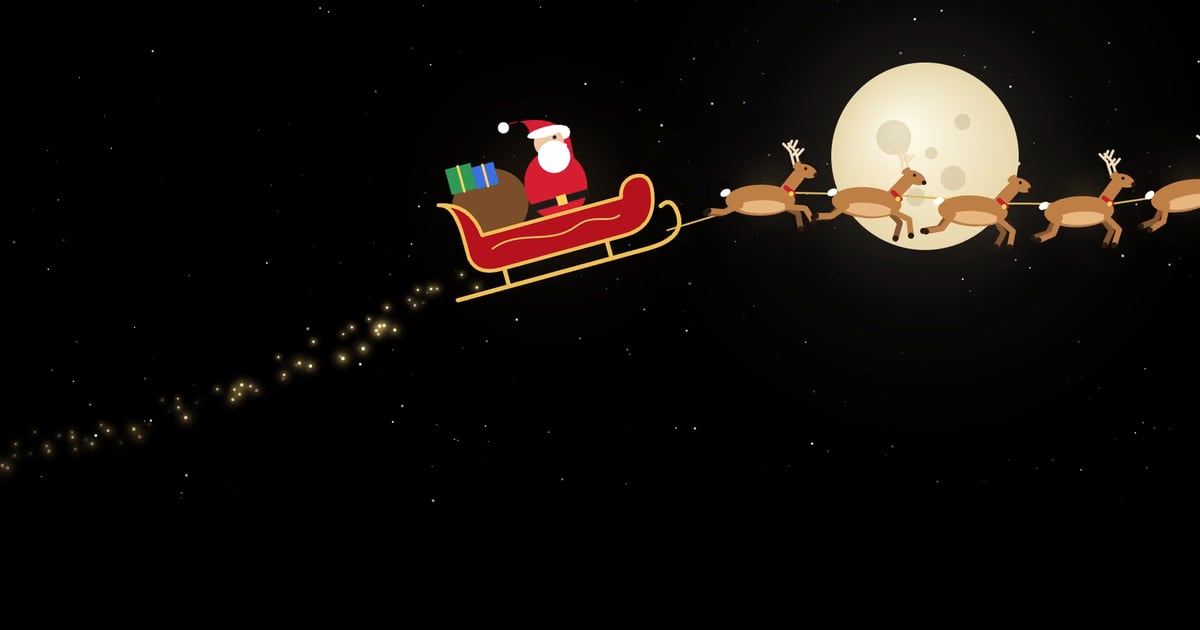
You don't have to buy Christmas projector videos. Snow falling on black, Santa's sleigh crossing the moon, slow sparkling lights: free versions of all of these exist, and on a window or a garage door they look far better than a laser light spraying dots over the house.
But "free" means something different on every site. Some videos can only be streamed, some need a credit, and some can't be used by a business. Here's where to find them, what each license allows, which videos suit which surface, and how to play them.

Map it from your phone
Lazy Lighting turns your phone into a projection mapping tool for any projector, on iPhone, iPad and Android.
Free to download · optional Pro
Free Christmas projector video sources at a glance
| Source | Cost | Download? | License in short | Best for |
|---|---|---|---|---|
| YouTube | Free, with ads | No, stream only | Personal viewing only | Hour-long Santa and snow loops |
| Pixabay | Free | Yes, HD and 4K | No credit; business use with limits | Snowfall on black, Santa |
| Pexels | Free | Yes, HD and 4K | No credit; business use with limits | Real snow at night |
| Mixkit | Free | Yes, no sign-up | Varies by clip: business use or personal only | Live-action Christmas footage |
| Vecteezy | Free and paid | Yes, HD clips | Free clips need a credit and have limits | Animated snow and ornaments on black |
| Internet Archive | Free | Yes, often MP4 | Set by each uploader; often none | Vintage films |
| AtmosFX | $20–$50 per collection | Yes, or on USB | Businesses need a commercial license | Santa and characters for windows |
| Lazy Lighting | Free to download; 4 of 30 Christmas scenes free | Built into the app | Plays inside the app | Windows and doors, mapped from a phone |
YouTube: free to stream, not to download
YouTube has the most free Christmas projection videos. Search "Santa window projection" for Santa peeking in and flying past, "Christmas projector video loop" for hour-long mixes, and "falling snow black background 1 hour" for snowfall that runs up to ten hours, long enough that nobody spots the loop.
But YouTube is for streaming. Its terms don't allow downloading unless YouTube offers the option, and they cover personal, non-commercial viewing; Premium downloads only play inside the YouTube app. Something has to stream all evening, and without Premium, ads interrupt the loop.
Skip "window view" videos: they're made for TVs and fill the frame with a snowy village, which looks like a glowing rectangle on a real window. And some Santa uploads appear to be copies of paid decorations.
Free downloads: Pixabay, Pexels, Mixkit and Vecteezy
Pixabay is the best free source for the most useful Christmas clip there is: snow on black. Search "snowfall black background", "santa reindeer flying" or "christmas black background". Its license allows commercial use without credit, but you can't sell or redistribute a clip on its own, or use one showing a brand or logo commercially.
Pexels has similar terms and more real footage; try "snow falling black background". Credit is optional, but you can't sell unaltered copies, imply that people or brands in a clip endorse you, or re-upload clips to other stock sites.
Mixkit has over 700 Christmas clips under two licenses, and each clip's page says which applies. Free License clips can go in commercial projects without credit. Restricted License clips are free only as 720p downloads for personal use; when we checked, that included animated ones like the glitter snowflakes and the dancing gingerbread man.
Vecteezy has lots of animated Christmas clips on black: search "snow falling black background" and set the License filter to Free. Free clips need a credit and have limits, such as a $1,000 cap on production budgets; paid Pro licenses drop the credit and raise the limits.
- Pixabay Content License ↗ allowed and prohibited uses.
- Pexels License ↗ what's allowed and what isn't.
- Mixkit licenses ↗ the Free and Restricted video licenses.
- Vecteezy License Agreement ↗ credit rules and limits for each tier.
The Internet Archive: public domain, with caveats
Archive.org has old Christmas films and cartoons, usually as MP4 downloads. Each item's license is set by its uploader, and many show none, so treat those as all rights reserved; even a public domain mark is the uploader's claim, not a guarantee.
One widely shared "holiday projector videos" upload was, by its uploader's own description, copied off the memory card of a store-bought decoration projector. Look for a Creative Commons or public domain mark on the item page, and give credit where a CC BY license asks for it.
Which videos work on windows, walls and house fronts
- Black backgrounds for windows. Black projects as no light, so snow or a sleigh on black seems to float in the glass, while a full-frame scene lights up the whole window.
- Horizontal or vertical. A projector's wide 16:9 image suits garage doors and walls. Vertical videos fit tall windows and doors but fill only a slice of the image, so move the projector until the window fills it top to bottom.
- Resolution. 1080p is plenty for a window or a wall seen from the street. Some projectors' built-in players stutter on 4K files, so test first.
- Slow and bright. From the street, slow snowfall and one big sleigh beat busy footage. Outdoors, pale backgrounds wash out and spill light.
- File format. H.264 MP4 plays most reliably from a USB stick and imports into apps, including Lazy Lighting. Re-encode anything that won't play with HandBrake, which is free for Mac, Windows and Linux.
Map it from your phone
Lazy Lighting turns your phone into a projection mapping tool for any projector, on iPhone, iPad and Android.
Free to download · optional Pro
How bright does the projector need to be?
It depends on the surface, not the video. Rough guide, after dark:
| Surface | ANSI lumens |
|---|---|
| Window, projected from inside onto fabric | 300+ (1,000+ on a bright street or at dusk) |
| Indoor wall in a dim room | 500–1,000 |
| Garage door | 3,000+ |
| Whole house front | 4,000–5,000+ |
How to play Christmas videos on a projector
- USB stick. Copy H.264 MP4 files to a FAT32 or exFAT stick, plug it into the projector and turn on repeat in its media player. FAT32 can't hold files over 4 GB, so use exFAT for long 4K loops if your projector reads it.
- Laptop. Connect by HDMI and play the file in VLC with loop turned on. Switch off sleep first.
- Streaming stick or smart projector. The YouTube app on a streaming stick or a Google TV projector plays YouTube loops without tying up your phone.
- Phone. Use a USB-C or Lightning to HDMI adapter, AirPlay on iPhone and iPad, or screen mirroring on Android phones that support it. Keep it plugged in.
Lazy Lighting: 30 Christmas scenes built in, no files to find
Disclosure: we make Lazy Lighting. It's a projection mapping app for iPhone, iPad and Android phones and tablets with 30 Christmas scenes built in: falling snow, Santa's sleigh, a spiral light tree, a gingerbread parade, candy-cane stripes, knitted Christmas-sweater patterns with reindeer, snowmen, penguins and Santa, and wrapping-paper patterns of gifts, ornaments, bells, wreaths and snowflakes. There are no files to find, and scenes loop until you stop them.
The difference from a downloaded video is the fit. On your phone, you draw a shape over each window or door and drag its corners until it lines up; each shape plays its own scene, only inside its frame. Trace an arched window with an Outline shape.
Lazy Lighting is free to download. The free plan has about 20 visuals, including 4 Christmas scenes, with a small watermark on the projector output. Pro unlocks all 30 and every other visual, removes the watermark, and adds audio-reactive visuals, BPM sync, MIDI, video export up to 4K and project saving, with monthly, annual and lifetime plans.
It connects by HDMI cable (USB-C or Lightning to HDMI), AirPlay on iPhone and iPad, screen mirroring on Android phones that support it, or the wireless Lazy Lighting Link receiver app on Android TV and Google TV projectors. There's no Chromecast support and no Mac or Windows version.
See the 30 Christmas scenes and the full setup guide →When paid videos are worth it: AtmosFX
AtmosFX is the best-known paid source. In October 2026 it lists 21 Christmas collections, from Santa's Visit and Winter Wonderland at $20 to Santa & Company at $50, with a couple on sale for $15. A few also come on USB drives for about $40 to $45.
You're paying for characters made for a window: Santa, elves and snowmen that move as if they're inside the house, cut out against black. Files are 1080p MP4 in horizontal and vertical versions. AtmosFX says businesses using its decorations commercially, such as attractions and restaurants, need a commercial use license.
Free clips do snow and sparkle well. AtmosFX does Santa well. If one window is your centerpiece, that's where it earns its price.
Quick setup checklist
- 1
Pick the surface, and check the projector is bright enough for it.
- 2
Choose videos: snow or Santa on black for windows, big slow scenes outdoors. Note each clip's license, and convert anything that won't play to H.264 MP4.
- 3
Connect, fit the image, and turn on rear projection if you're projecting through fabric.
- 4
Turn on loop, keep the player plugged in and awake, and turn the lights off.
Frequently asked questions
- Where can I download free Christmas projection videos? Pixabay, Pexels and Mixkit have free MP4 downloads with no credit needed, though some Mixkit clips are personal use only. Vecteezy's free clips need a credit, and Internet Archive licenses vary. YouTube is for streaming, not downloading.
- Are there Christmas projection videos with no copyright? Nearly every video has a copyright owner, and "no copyright" in a YouTube title is the uploader's claim, not a license. Look for a clear license, like Pixabay's, or a genuine public domain work, such as an old film whose copyright has expired.
- Can I play Christmas projector videos from a USB stick? Yes, if the projector has a USB media player. Use H.264 MP4 files on a FAT32 or exFAT stick and turn on repeat. Re-encode files that won't play with HandBrake.
- How do I make a Christmas video fit my window? Stretch white fabric inside the window, project from the room and turn on rear projection. Then zoom and position the projector, pad the video with black to the window's shape, or map the window in Lazy Lighting so the scene stays inside the frame.
- Where can I find a Santa window projection video? Search YouTube for "Santa window projection" to stream, or Pixabay for "santa reindeer flying" to download. AtmosFX sells Santa collections for $20 to $50, and Lazy Lighting's Santa's sleigh scene is included with Pro.
- Can I use free Christmas projection videos for a business display? Sometimes. Pixabay, Pexels and Mixkit Free License clips allow commercial use if you avoid brands and logos and don't resell the files. Vecteezy's free clips need a credit and have limits, YouTube and Mixkit Restricted clips are personal use only, and AtmosFX asks businesses for a commercial license. Save a copy of the license when you download.