ダウンロード

スマートフォンでスキャンしてインストール

Halloween projector guide · 2026

Halloween projection mapping from your phone

Most Halloween projector setups don't need a laptop, paid content or complicated software. Ghosts in your windows, faces on your pumpkins or a full house light show: you can set it all up from your phone with the projector you already have.

Free to download · optional Pro

By Jake Silverstein ·

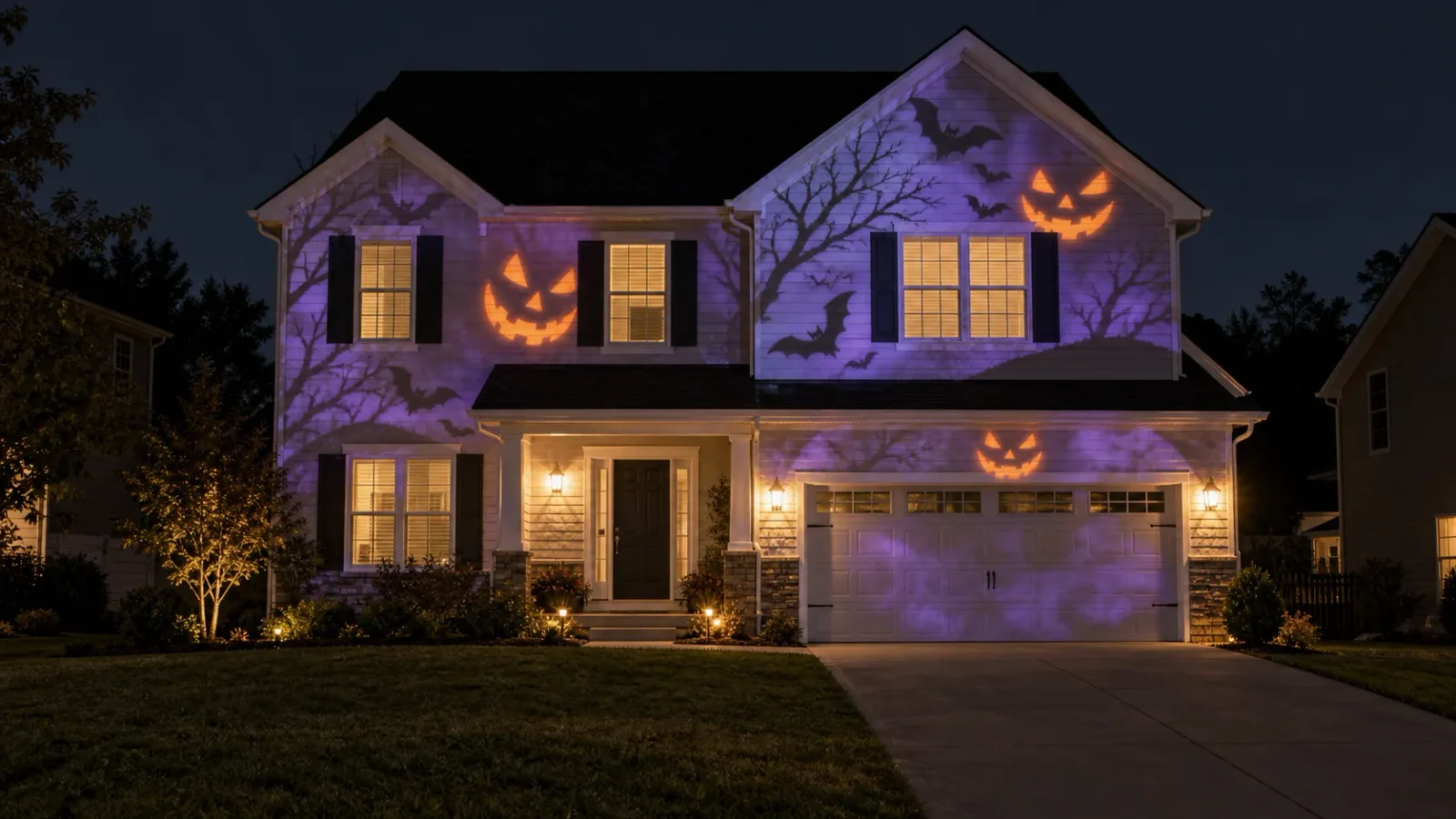
Illustration of a two-storey house at night with purple Halloween projections of bats, bare trees and jack-o'-lantern faces across its front
Illustration of a full house display

Filmed at home with Lazy Lighting

Three pumpkins on a table, one small projector, and Lazy Lighting's jack-o'-lantern scenes mapped onto each pumpkin from a phone. The phone in front shows the same faces the projector is throwing.

That is the whole idea: instead of a rectangle of video, each scene is fitted to the exact shape of the thing you point it at.

What Lazy Lighting does for Halloween

  • Runs on iPhone, iPad and Android, with no laptop or desktop software.
  • Comes with 45 Halloween scenes: jack-o'-lanterns, ghosts, bats, witches, skeletons and silhouettes.
  • Fits each scene to the shape of a window, a door or a pumpkin, not just a rectangle.
  • Plays your own videos too, so loops you already have still work.
  • Loops scenes until you stop them, so the display runs all evening.

Four ways to set up a Halloween projector

Pick the one that fits your house. The first two work indoors with a small projector; the last two are outdoor displays that need a much brighter one.

01 · Indoors

Pumpkins and props

Faces on pumpkins, skulls or tombstones

Put a few pumpkins, a foam tombstone or a skull on a table, aim the projector at them and darken the room. Add a shape over each prop, drag its corners until it hugs the outline, and give each one its own jack-o'-lantern or ghost scene.

02 · Indoors, seen from outside

Ghosts in the window

Project from inside, seen from the street

Hang a white sheet, shower curtain or sheer white fabric tight across the inside of the window and project onto it from the room. People outside see ghosts and glowing eyes through the fabric while the room behind stays hidden.

Map a shape to the window so the scene stays inside the frame, and keep the room dark: any light behind the fabric washes out the image.

03 · Outdoors

Garage door or wall

One big surface, projected from the yard

Set the projector on a tripod in the yard and aim it at the garage door or a light-coloured wall. Map one shape to the door and fill it with fog, a giant face or slow-moving ghosts: slow scenes read better from across the street than fast ones.

Outdoors needs a much brighter projector than a window. The small one we use indoors looks faint on a garage door; our outdoor pick is the XGIMI Horizon 20 Pro.

04 · Outdoors

The whole house

Every window and panel mapped on its own

Map every window, door and wall panel as its own shape and give each a different scene, so the house itself seems to come alive instead of wearing a rectangle of video.

Set up the projector across the yard or the street, draw a shape over each surface on your phone and drag the corners until they line up. Most house fronts take under 30 minutes.

This is the job that needs the brightest projector. The XGIMI Horizon 20 Pro fills up to about 6.6 metres (300 inches) of width from around 8 metres back, enough for a garage and the windows around it. For a wider, brick or two-storey front, map the section people see from the street.
Which projector do you need?

It comes down to inside or outside. An outdoor display needs roughly ten times the brightness of an indoor one.

Indoors: pumpkins, windows and walls

Nebula Capsule 3 Laser

The projector we use in our videos. Small and battery powered, with Google TV built in for wireless Lazy Lighting Link and a standard tripod thread.

View on Amazon ↗

Outdoors: garage doors and house fronts

XGIMI Horizon 20 Pro

Bright enough for outdoor displays after dark (4,100 ISO lumens), with Google TV built in. It runs on mains power, so plan an outdoor extension cord.

View on Amazon ↗

Whichever you choose, put it on a tripod ↗ so the mapping stays lined up all night.

As an Amazon Associate we earn from qualifying purchases.

How to set it up in 5 steps

  1. 1

    Get Lazy Lighting. Download it from the App Store for iPhone and iPad, or Google Play for Android. No account needed.

  2. 2

    Connect your phone to the projector. A USB-C or Lightning to HDMI cable is the most reliable. iPhone can also use AirPlay, and Google TV projectors like the Nebula connect over Wi-Fi with Lazy Lighting Link.

  3. 3

    Draw a shape on each surface. Add a shape for each window, door, pumpkin or panel and drag its corners on your phone until the projection lines up. For an arched window, trace it with an Outline shape.

  4. 4

    Pick a Halloween scene. Choose one of the 45 built-in Halloween scenes for each shape, or import your own video.

  5. 5

    Lock it down and leave it running. Sandbag the tripod so nothing shifts, keep the phone plugged in, and on iPhone set Auto-Lock to Never so the phone doesn't sleep.

Connection guide: cables, AirPlay and Lazy Lighting Link →

Phone app, USB stick or laptop?

Three common ways to run a Halloween projector, compared.

機能Video loop on a USB stickLaptop mapping softwareLazy Lighting on your phone
Fits windows, doors and propsNo, it plays a rectangleYesYes
No laptop neededYesNoYes
Halloween contentBuy or download loopsUsually bring your own45 scenes built in, plus your own videos
Best forOne flat surfaceLarge multi-projector showsWindows, pumpkins and house fronts

Common questions about Halloween projectors

Do I need a special Halloween projector?

No. Any projector with an HDMI input works. Many of the Halloween projectors sold in seasonal stores only throw fixed light patterns or slides rather than video, so they can't be mapped. A small portable projector is plenty indoors; outdoors you need a bright one.

Can I use my phone instead of a laptop?

Yes. Lazy Lighting runs on iPhone, iPad and Android. Connect the phone to the projector with a cable, AirPlay or Lazy Lighting Link, and map everything from the phone.

Is Lazy Lighting free?

Lazy Lighting is free to download, and the free plan lets you map surfaces and try three of the Halloween scenes, with a small watermark on the projector output. Pro unlocks all 45 Halloween scenes and every other visual, removes the watermark, and adds project saving, audio-reactive visuals and video export. Monthly, annual and lifetime plans are available.

What projector do I need for a Halloween display?

Indoors, for pumpkins, windows and walls, a small portable projector is plenty; we use the Nebula Capsule 3 Laser. Outdoors, for a garage door or the front of a house, you need roughly ten times the brightness; our pick is the XGIMI Horizon 20 Pro.

How do I keep the projection inside the window frame?

Map a shape to the window. The scene plays only inside that shape and the rest of the projector image stays black. For arched or unusual windows, trace the opening with an Outline shape.

Will it run all night?

Yes. Scenes loop until you stop them. Keep the phone plugged in and, on iPhone, set Auto-Lock to Never so the phone doesn't go to sleep.

How long does it take to set up?

A window or a few pumpkins take a few minutes. A whole house front, with every window and panel mapped separately, takes under 30 minutes.