Projector input lag: how to fix the delay with Game Mode
Keystone, motion smoothing and other processing add projector lag. How Game Mode cuts it, where to find it by brand, and the best settings for mapping.
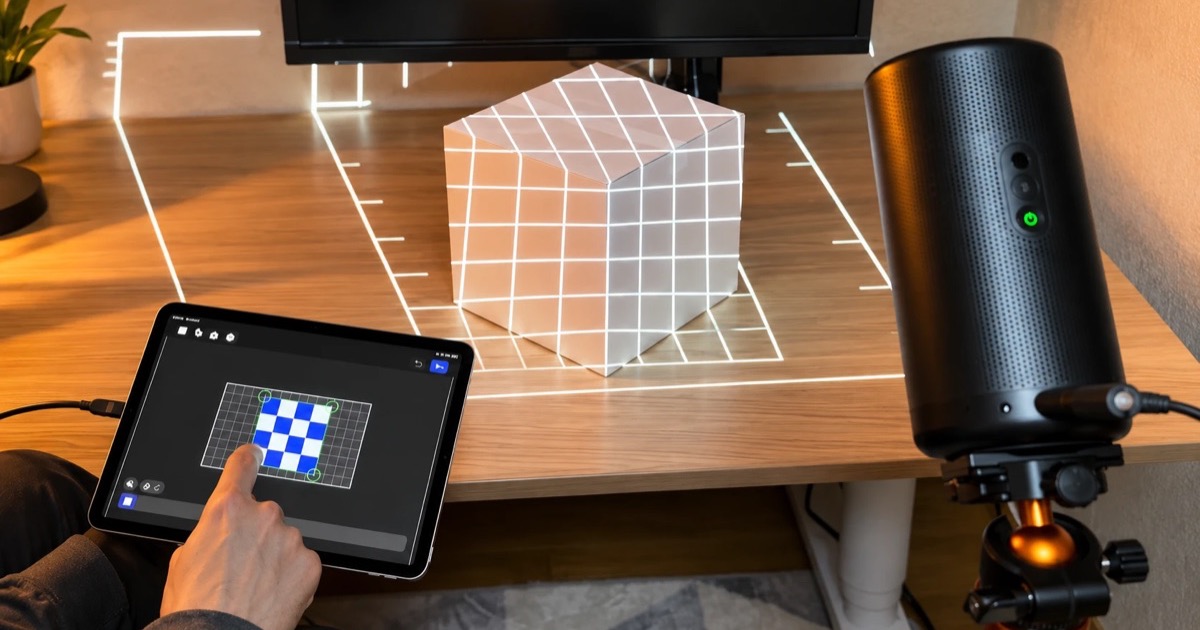
Most projector lag comes from the projector's own image processing: keystone correction, motion smoothing (MEMC), noise reduction and upscaling each hold the picture back before it reaches the lens. Turning on Game Mode (called Fast, Low Latency or Game Boost on some brands) switches that processing off, and on several popular projectors reviewers measured it cutting the delay from roughly 80 to 150 milliseconds to about 25.
If you do projection mapping, there's a second reason to use it: you don't need the projector's keystone correction at all, because the mapping app warps every shape itself. This guide covers where the delay comes from, how to turn on Game Mode on Nebula, XGIMI, Epson, BenQ, Dangbei and HY300 projectors, what it can't fix when you mirror or cast from a phone, and the settings I use for mapping.
Disclosure: we make Lazy Lighting, a projection mapping app for iPhone, iPad and Android. The projector settings here apply whatever app or source you use.
Every way to connect a phone to a projector →
Map it from your phone
Lazy Lighting turns your phone into a projection mapping tool for any projector, on iPhone, iPad and Android.
Free to download · optional Pro
Why does my projector have a delay?
A projector doesn't just show the signal it receives. Before a frame reaches the lens, its processor can reshape it, smooth it and clean it up, and those steps need time to work on each frame. At 60 frames per second, every frame the projector holds back adds about 17 milliseconds.
- Keystone and auto keystone: reshape the picture so it looks rectangular when the projector sits at an angle. BenQ says keystone adds up to one frame of delay on its projectors.
- Motion smoothing (MEMC or frame interpolation): invents in-between frames, so the projector has to wait for the next real frame before it can show the current one.
- Noise reduction, sharpening and upscaling: analyze each frame before it's shown. An Epson manual lists noise reduction, frame interpolation and super-resolution as the features its Fast setting turns off.
- Screen fit and obstacle avoidance: resize and move the picture digitally, like keystone and digital zoom.
How much does Game Mode reduce input lag?
On projectors that process the picture heavily, it removes most of the delay. ProjectorCentral found that the Nebula Capsule 3 Laser's Game mode turns off its keystone correction and motion smoothing, and these are independent reviewers' measurements:
| Projector | Normal mode | Game Mode | Measured by |
|---|---|---|---|
| Nebula Capsule 3 Laser | 130 ms (Standard) | 23 ms | ProjectorCentral, 1080p at 60 Hz |
| XGIMI Horizon Pro | 144 ms | 24 ms | Tom's Guide |
| Dangbei Mars Pro 4K | 152 ms | 27 ms | Tom's Guide |
| Dangbei Atom | 81 ms | 25 ms | Tom's Guide |
| BenQ HT2060 | 25 ms | 25 ms | Tom's Guide |
| Nebula Mars 3 Air | Not published | 45 ms (Game Extreme) | What Hi-Fi?, 60 Hz |
Als Amazon-partner verdient Lazy Lighting aan in aanmerking komende aankopen.
Does Game Mode help with projection mapping?
Yes, more than any other setting I've changed. On my Nebula Capsule 3 Laser, with my phone plugged in by HDMI cable, switching the picture mode to Game took the delay between my phone and the wall from what felt like 300 to 500 milliseconds to essentially nothing: I drag a corner on the phone and it moves on the wall at the same moment. Cable plus Game mode is the combination that does it; a wireless connection adds its own delay, which I cover below. That's my experience with my setup, not a lab measurement, but it points the same way as the numbers above.
Lag matters because of how mapping works. You fit each shape by dragging its corners on the phone while you watch the projection. With a big delay, the corner on the wall trails your finger, you overshoot, and lining up the edge of a box takes several tries.
It matters even more once visuals react in real time. Audio-reactive visuals, BPM sync, MIDI control and the live camera in Lazy Lighting Pro all land late if the projector is holding frames back. I started Lazy Lighting to light my Grateful Dead cover band's shows, and a flash that lands after the beat is easy to see.
The Nebula Capsule 3 Laser, the projector in my videos ↗Do you need keystone correction for projection mapping?
No. Keystone correction squeezes the whole picture into one rectangle. A mapping app does that job surface by surface, warping each shape to its own corners. Leaving keystone on only costs you:
- Delay, as above.
- Resolution and brightness. Digital keystone fits the picture onto fewer of the projector's pixels. In ProjectorCentral's test, correcting a 10-degree tilt cost the Capsule 3 Laser 15% of its brightness.
- A picture that moves by itself. Auto keystone can run again when the projector is nudged or switched on, as the Capsule 3 Laser's "Auto Keystone Correction After Movement" and "at Startup" settings do. Every mapped shape then slides out of line.
Map it from your phone
Lazy Lighting turns your phone into a projection mapping tool for any projector, on iPhone, iPad and Android.
Free to download · optional Pro
How do I turn on Game Mode on my projector?
Menu names change between models and firmware updates, so treat these as starting points.
| Brand | Where to find it | Good to know |
|---|---|---|
| Nebula | Capsule 3 Laser: Settings > Projector Settings > Picture > Picture Mode > Game. Google TV models like the Mars 3 Air list Game (Extreme). | Reviewers found Game only appears on the Capsule 3 Laser while an HDMI input is selected. |
| XGIMI | Set the picture mode to Game, then turn on the low-latency switch: Game Mode Boost on the Halo+, Game Mode: Low-Latency on the Horizon 20. | On the Halo+, Boost overrides keystone correction. |
| Epson | Set Image Processing to Fast. | Fast turns off noise reduction, frame interpolation and super-resolution. |
| BenQ | Picture Mode: Game, or Game-Boost on the GV50 (Settings > Display and Sound > Picture > Picture Mode). | Only with an HDMI or USB-C source. On the GV50 it resets the image corrections. |
| Dangbei | A Game Mode switch, separate from the picture mode. | Tom's Guide measured the Atom at 81 ms without it and 25 ms with it. |
| HY300 and similar mini projectors | The HY300 Pro manual doesn't list a Game Mode. | Turn off auto keystone, set manual keystone to zero and zoom to 100%. Turn off motion smoothing if your model has it. |
Does Game Mode fix lag when mirroring or casting from a phone?
Only part of it. A wireless picture goes through extra steps before the projector starts its own processing: your phone captures the screen, compresses it and sends it over Wi-Fi, and the receiver decompresses it. AirPlay, Android screen mirroring and Lazy Lighting Link's Live Cast all work this way. Game Mode can't speed any of that up; it only removes the projector's processing, which comes on top.
That's why a cable is still the fastest connection: a USB-C or Lightning to HDMI adapter sends the picture with no network in between. If you need wireless:
- Use 5 GHz Wi-Fi and keep the router close to the phone and the projector.
- Keep both devices on the same network, and pause big downloads and other streams while you map.
- Use an HDMI source if Game Mode needs one. Lazy Lighting Link also runs on a Chromecast with Google TV. Plugged into the projector's HDMI port, it counts as an HDMI input, so you can turn on Game Mode even on projectors that only offer it for HDMI.
- Use Playback for shows that run by themselves. With Lazy Lighting Link, Playback (part of Pro) sends the finished show to the projector, which plays it from its own storage, so there's no streaming delay. It isn't live, but a window display that loops all evening doesn't need to be. Live Cast works on the free plan with a small watermark.
What are the best projector settings for projection mapping?
- 1
Turn on Game Mode (or Fast, or the low-latency switch). If you can't find it, select the HDMI input first.
- 2
Turn off auto keystone, keystone after movement, screen fit and obstacle avoidance, and set manual keystone to zero.
- 3
Set digital zoom to 100%, so the picture uses the whole panel.
- 4
If your projector lets you set them separately, turn off motion smoothing (MEMC), noise reduction and sharpening.
- 5
Focus on the object, then turn off auto focus after movement. Some projectors, including the Capsule 3 Laser, project a test pattern while they refocus, which would interrupt your show.
- 6
Connect by cable if you can. Otherwise use 5 GHz Wi-Fi, with the phone and the projector on the same network.
- 7
Put the projector on a tripod or a shelf where nobody will bump it. Every nudge moves every shape.
How can I test my projector's lag?
With a stopwatch and a camera. It takes a couple of minutes:
- 1
Connect your phone the way you normally do and mirror its screen. Do this before opening a mapping app, which shows its own output instead of a copy of your screen.
- 2
Open the stopwatch on your phone and start it.
- 3
Take a photo that shows the phone and the projection together. The difference between the two times is your delay.
- 4
Take a few photos and average them, then turn on Game Mode and repeat.
Frequently asked questions
- Does Game Mode turn off keystone? Often, yes. Reviewers and manufacturers report it on the Nebula Capsule 3 Laser, XGIMI Halo+ and BenQ GV50. For projection mapping that's what you want, because the app does the shaping.
- Why can't I find Game Mode on my projector? Some projectors only show it while an HDMI input is selected, as reviewers found on the Nebula Capsule 3 Laser. Others call it Fast, Low Latency or Game Boost, and some budget projectors don't have one. In that case, turn off keystone, digital zoom and motion smoothing yourself.
- Is a cable faster than AirPlay or casting? Yes. A cable adds no network delay, which is the part Game Mode can't remove. Wireless connections add their own delay on top of the projector's.
- What's a good input lag for projection mapping? Gaming reviewers generally call under 20 ms excellent and 20 to 50 ms fine for casual play. The Game Mode figures above, about 23 to 45 ms, are well inside that range.
- Does Lazy Lighting work with Game Mode? Yes. Lazy Lighting sends an ordinary picture, so it works in any picture mode. It's free to download: mapping, your own videos and photos, and about 20 visuals are free with a small watermark, and Pro adds audio-reactive visuals, BPM sync, MIDI, the live camera and Playback.