MadMapper alternatives: the best free and paid options in 2026
Is MadMapper free? Not for real shows. Here are the free and cheaper alternatives for Mac, Windows, iPhone, iPad and Android, and who each one suits.
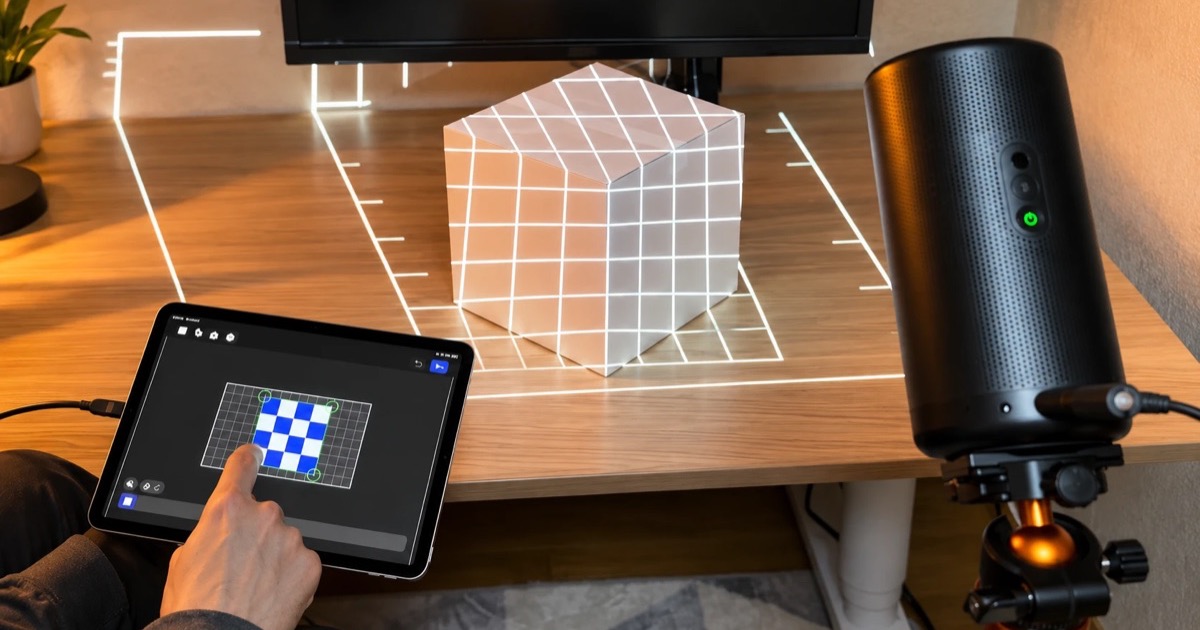
MadMapper is one of the best projection mapping tools there is, and it's priced to match: a perpetual license starts at €399 before tax, and the free version watermarks your output and won't save your work. If you're mapping one projector for an event, learning, or working from a phone or tablet, there are good alternatives, and some cost nothing.
Below are the options worth considering, with prices and free-version limits checked on each vendor's site on October 21, 2026. Disclosure: we make Lazy Lighting, one of the options here. We've tried to be straight about where it fits and where it doesn't.

Map it from your phone
Lazy Lighting turns your phone into a projection mapping tool for any projector, on iPhone, iPad and Android.
Free to download · optional Pro
Is MadMapper free?
No, but there is a free version. MadMapper offers it for testing and learning: every feature is included, but video output and input are watermarked, you can't save or load a project, exports are disabled, and DMX fixtures black out every 30 seconds. It's a fair way to learn the interface, not a way to run a show.
A license removes those limits. The perpetual Artist license starts at €399 excluding tax, covers the current 6.x version and includes a spare seat for a second computer. For a one-off job, rental starts at €39 a month excluding tax. MadMapper runs on macOS 11 or later and Windows 10 or later, so on an iPhone, iPad or Android device you'll need something else.
The short version
- Best for beginners and first projectors: Lazy Lighting on iPhone, iPad or Android. Free to download; Pro removes the watermark.
- Completely free on desktop: VPT 8 for Mac and Windows, though it's no longer developed.
- Free for unpaid projects: TouchDesigner Non-Commercial, if you're willing to learn a node-based tool.
- Easiest paid desktop tool: HeavyM, from €219 as a one-time purchase.
- Live shows, theater and multi-projector stages: Resolume Arena, Millumin (Mac only) or Isadora.
Best for beginners: Lazy Lighting (iPhone, iPad and Android)
If this is your first mapping project or your first projector, the easiest place to start is the phone or tablet you already own. Lazy Lighting is a projection mapping app for iPhone, iPad and Android. You add a shape, drag its corners onto your object while you watch the projection, and pick a visual. Disclosure: we make Lazy Lighting.
It isn't just a music app. It covers mapped decor and art pieces, Halloween and Christmas displays with built-in scenes, audio-reactive and VJ sets with Pro, and teaching projection mapping in a classroom.
- Mapping: quads, circles, text, freehand outlines, cubes and boxes. Drag corners, bend edges into curves, snap points into place and add masks. Run several shapes at once, each with its own visual, and sequence them with scenes and a timeline.
- Content: built-in visuals, plus your own videos and photos.
- Connection: any projector with an HDMI input, through a USB-C or Lightning to HDMI adapter. Wireless works too: AirPlay from iPhone and iPad, screen mirroring (Miracast or Smart View) on Android phones that support it, or the Lazy Lighting Link receiver on Android TV and Google TV projectors or a Chromecast with Google TV.
- Free plan: the mapping tools, a starter set of about 20 visuals, imports and masks. The projector output carries a small watermark, and saving projects needs Pro.
- Pro (monthly, annual or lifetime): removes the watermark and adds project saving, every visual and effect (190+ built in, including 45 Halloween scenes and the Christmas scenes), audio-reactive visuals, BPM sync, MIDI, LFOs, live camera input and video export up to 4K.
- Limits: one projector output, and no DMX, Art-Net, Syphon/Spout or edge blending. If you need those, look at the desktop tools below.
Free MadMapper alternatives for Mac and Windows
Genuinely free desktop mapping software is rare, and each free option has a catch.
- VPT 8 (Mac and Windows, free). ↗ HC Gilje's Video Projection Tool is freeware with no watermark. It mixes recorded and live camera footage, has presets and a cue list, and takes OSC, MIDI, Art-Net, Syphon and Spout. The catch: VPT 8, released in 2018, is the last version. There's a Big Sur update and an Apple Silicon beta, but no further development, so test it on your computer before relying on it.
- TouchDesigner Non-Commercial (Mac and Windows, free for unpaid work). Derivative's node-based environment is free as long as nobody pays you for the work, with image resolution capped at 1280×1280. A Commercial license starts at $600 (Educational at $300). It's far more capable than MadMapper for generative and interactive work, but you build the mapping setup yourself, so it's a poor fit if you just want a video on a wall this weekend.
- MapMap (open source). ↗ Often recommended as the free MadMapper alternative, but check its status first. The last tagged release, 0.6.2, dates from 2018. Development restarted on GitHub in 2026, yet the project's download page still lists Mac and Windows installers as coming soon, and the old mapmap.info address no longer leads to the project. Promising if you can build from source, but not a quick download today.
Map it from your phone
Lazy Lighting turns your phone into a projection mapping tool for any projector, on iPhone, iPad and Android.
Free to download · optional Pro
Browser-based options
We haven't found a browser-based tool that can replace MadMapper. Mapping needs full-screen output on a second display and real-time warping, which is why the serious tools are desktop or mobile apps. Open-source code libraries such as Maptastic.js can corner-pin a web page onto a flat surface if you can code, but nothing in a browser comes close to MadMapper's media handling, masks and output control.
Every free projection mapping program, compared →Paid alternatives if free isn't enough
- HeavyM (Mac and Windows). The closest paid alternative if MadMapper feels complicated: draw shapes over your surface, fill them with built-in effects or your own media, and sync them to music. One-time prices are €219 ($219 in the US) for Live, with one output up to 1920×1200; €439 for Pro, which adds unlimited outputs, edge blending, a timeline, DMX input via Art-Net and NDI; and €539 for Pro+. You can also pay in six monthly installments and then own it. The demo has every feature and no time limit, but it can't save or load projects and shows the HeavyM logo on the output.
- Resolume Arena (Mac and Windows). The standard for live visual shows: clip launching, effects and BPM sync, with projection mapping, edge blending and DMX on top. Arena costs €799 and includes 12 months of updates. Avenue, the €299 VJ edition, leaves out Arena's mapping and blending tools. The demo runs as long as you like, with a Resolume watermark on the video and a robot voice in the audio.
- Millumin (Mac only). A Mac tool for audiovisual and interactive shows, with perspective and mesh warping, masks, multiple displays and DMX fixture control. Millumin 5 lifetime licenses start at €399 plus tax, or you can rent it for €29 a week, €69 for 30 days or €199 a year. The 30-day trial is unrestricted; after that the output is watermarked.
- Isadora (Mac and Windows). TroikaTronix's node-based tool for theater and interactive performance, with IzzyMap projection mapping built in. Isadora 4 costs US$725 for a perpetual license or $199 a year, with 7-day and 30-day rentals. Demonstration mode runs fully but can't save changes.
MadMapper alternatives compared
| Tool | Runs on | Price | Free option | Best for |
|---|---|---|---|---|
| MadMapper | Mac, Windows | From €399 perpetual or €39/month rental (excl. tax) | Free version: watermark, no saving | Precise mapping, LED and DMX installations |
| Lazy Lighting | iPhone, iPad, Android | Free to download; Pro monthly, annual or lifetime | Free plan: watermark on projector output, no saving | Beginners, first projectors, holiday displays |
| VPT 8 | Mac, Windows | Free | Fully free, but no longer developed | Free desktop mapping on a budget |
| TouchDesigner | Mac, Windows | Free non-commercial; Commercial from $600 | Free for unpaid work, 1280×1280 cap | Generative and interactive installations |
| MapMap | Source code; no current Mac or Windows installer | Free, open source | Fully free | Tinkerers who build from source |
| HeavyM | Mac, Windows | From €219 one-time | Demo: logo on output, no saving | Easy desktop mapping |
| Resolume Arena | Mac, Windows | €799 (Avenue €299) | Demo: watermark, robot voice in audio | Live shows and multi-projector stages |
| Millumin | Mac | From €399 + tax, or rent from €29/week | 30-day full trial, then watermark | Theater and live shows on a Mac |
| Isadora | Mac, Windows | US$725, or $199/year | Demo: can't save | Interactive theater |
Frequently asked questions
- Is MadMapper free? Not for real use. The free version has every feature but watermarks the output, can't save or load projects and blacks out DMX every 30 seconds. Licenses start at €399 perpetual or €39 a month to rent, excluding tax.
- What is the best free MadMapper alternative? On desktop, VPT 8 is fully free with no watermark, though no longer developed, and TouchDesigner is free for unpaid projects up to 1280×1280. For beginners with a phone or tablet, Lazy Lighting is free to download, with a watermarked free plan.
- Is there a MadMapper alternative for Mac or Windows? Yes. HeavyM, Resolume Arena, Isadora, TouchDesigner and VPT 8 run on both. Millumin is Mac only.
- Does MadMapper work on iPhone, iPad or Android? No. MadMapper runs on macOS and Windows. To map from a phone or tablet, Lazy Lighting runs on iPhone, iPad and Android.
- Can Lazy Lighting replace MadMapper? For one projector, often yes: mapped shapes, masks, built-in visuals and your own video, plus audio reactivity, MIDI and live camera input with Pro. It won't replace MadMapper for multiple projectors, DMX, Art-Net, LED mapping or edge blending.
The bottom line
No free tool fully replaces MadMapper if you need multiple projectors, DMX or LED mapping; for that, pay for MadMapper, Resolume Arena or Millumin. If you want something easier and cheaper than MadMapper, HeavyM is the closest. For free desktop mapping, VPT 8 still works and TouchDesigner is free for unpaid projects.
If you're starting out with one projector and a phone or tablet, start with Lazy Lighting. It's free to download, works with any projector that has an HDMI input or a supported wireless connection, and Pro adds the rest when you need it.
Projection mapping software for every level →