What is projection mapping? How it works, types, examples and costs
Projection mapping turns buildings, stages and everyday objects into video screens. How it works, the main types, famous examples, costs and how to try it.
By Jake Silverstein · Updated
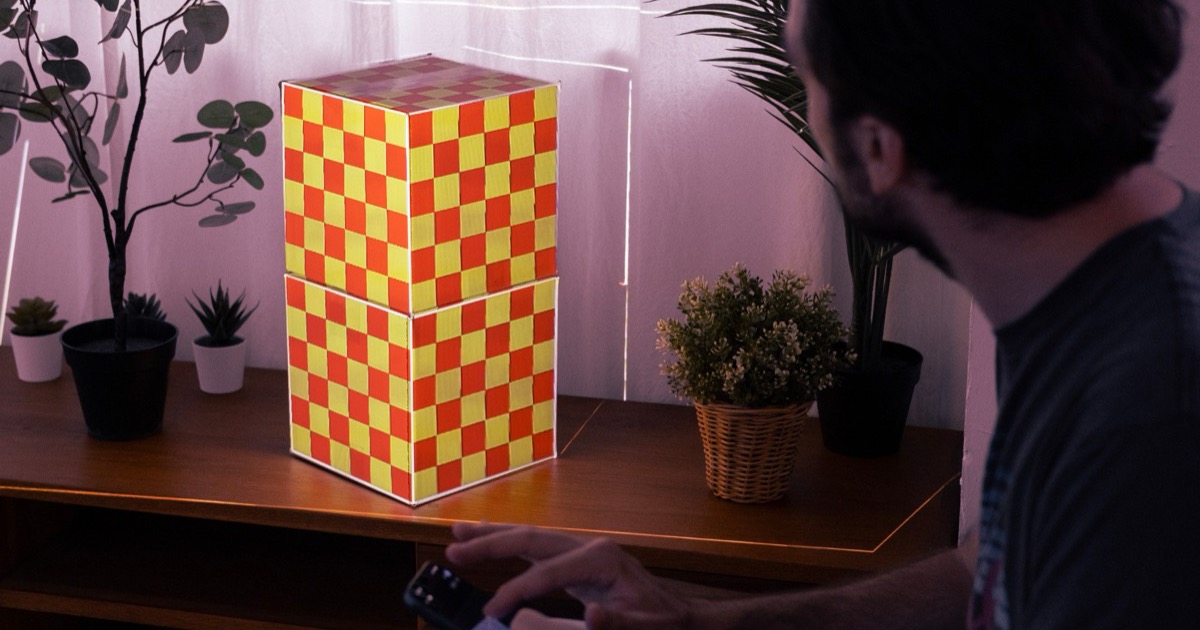
Projection mapping is a projection technique that uses software to warp and mask video so it fits the exact shape of a real object, such as a building, a stage set, a wall or a box, turning that object into the screen.
It is also called video mapping or spatial augmented reality. The projector is an ordinary one. The software is what makes the light stop at the object's edges, so the object itself seems to glow, change material or move. In the US you have probably seen it on Cinderella Castle at Walt Disney World, on the ice before NHL games, or in 2019, when a full-size Saturn V rocket was projected onto the Washington Monument. The same technique works at home with one projector and a phone.
Disclosure: we make Lazy Lighting, a projection mapping app for iPhone, iPad and Android, so the home examples below use it. The ideas apply to any mapping software.
- Also called: video mapping, spatial augmented reality, or 3D projection mapping when the surface is a volume, like a box or a building.
- What you need: a projector, mapping software on a phone, tablet or computer, a surface, and darkness.
- Used for: building shows and light festivals, concerts and theater, theme parks, sports arenas, product launches, museums, art, restaurants, and Halloween and Christmas house displays.
- What it costs: about $100–800 for an indoor setup at home, $1,500–2,500 for a house front, and $5,000 to six figures for an event or building show.

Map it from your phone
Lazy Lighting turns your phone into a projection mapping tool for any projector, on iPhone, iPad and Android.
Free to download · optional Pro
How projection mapping works
A projector doesn't know what it's pointing at. It throws a flat rectangle of light, and anything in the way catches part of it. Projection mapping software changes what's inside that rectangle in a few ways:
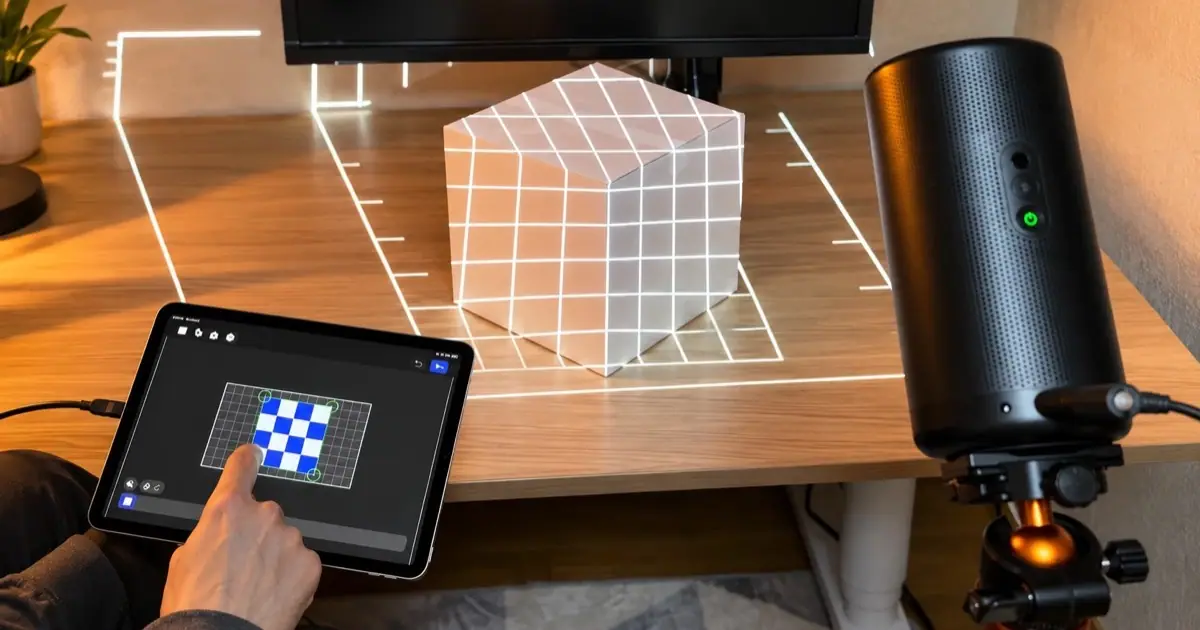
- Warping. You draw a shape for each surface and drag its corners onto the real corners while watching the projection. The software distorts the image so it looks straight on the surface, even when the projector sits off to one side. This is also called corner pinning, and it replaces the projector's keystone correction. Curved edges get extra points or bends.
- Masking. Everything outside your shapes is black, and black projects almost no light, so the picture stops at the object's edges. Masks can also cut holes inside a shape, for example to keep light off a window frame or a painting.
- Content. Video or generated visuals then play inside each shape. Because the shape follows the surface, the content does too: a flame fills a pumpkin, a brick pattern sits on the bricks.
- Blending, for large shows. A building is too big for one projector, so professional shows overlap several and fade the seams until they read as one image. Home projects usually use one projector and skip this step.
Types of projection mapping
Projection mapping is usually grouped by what gets mapped. The technique stays the same; the scale, the content and the number of projectors change.
- Architectural (building) mapping. Video fitted to a facade, often with several high-power projectors blended into one image. The content is made for that one building, so its windows, ledges and columns become part of the animation. This is the classic light-festival show.
- Object and product mapping. A car, a sneaker, a sculpture or a stack of boxes becomes the screen. Brands use it for launches and trade shows; at home, a white cardboard box is the usual first 3D project.
- Stage, concert and theater mapping. Sets and backdrops are mapped so the scenery can change between scenes or songs without anything moving. DJs and VJs map the front of the booth or geometric stage pieces and play the visuals live.
- Immersive rooms. Overlapping projectors cover every wall, and sometimes the floor, so visitors walk inside the image, as in touring immersive art exhibitions and teamLab's digital art museums in Tokyo.
- Interactive mapping. Cameras or depth sensors track people, so the projection reacts when someone walks across a floor or touches a wall. It's common in museums, children's play spaces and stores.
- Moving-object (dynamic) mapping. The projection follows something that moves, such as a car on a turntable or a performer's face, using tracking and very fast projectors. It's the hardest kind to get right.
- Table and dining mapping. Projectors above the table turn plates and tablecloths into a show. In Le Petit Chef, created in 2015 by the Belgian studio Skullmapping, a tiny animated chef cooks each course on the diner's plate; it has run in more than 125 hotels and restaurants, including the Grand Hyatt Atlanta.
- Sports arenas. NHL teams project pregame shows onto the ice from banks of projectors hung above the rink; the Vegas Golden Knights' show used 12 of them.
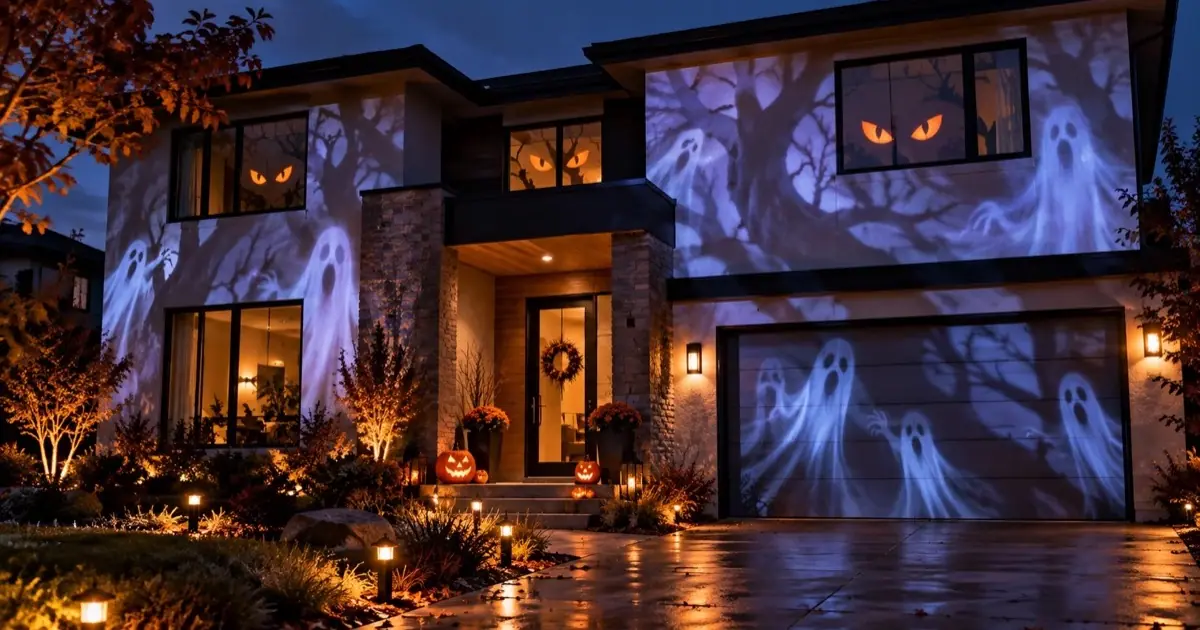
- Holiday and home displays. → Ghosts in the windows, a jack-o'-lantern face on a pumpkin, snow falling across a house front. This is projection mapping at its most accessible: one projector, one phone and an evening.
2D vs 3D projection mapping
The difference is the surface, not the projector.
| Recurso | 2D mapping | 3D mapping |
|---|---|---|
| Surface | Flat: a wall, a door, a window, a sign | A volume: a box, a car, a sculpture, a building with depth |
| How it's mapped | One flat shape per surface, warped and masked | One linked shape per visible face, or a 3D model of the object lined up with the real one |
| Good first project | A door or a section of wall | A white cardboard box |
| Tools | Any mapping app, including phone apps | Phone apps for boxes and simple objects; desktop software for model-based work |
- Many famous "3D" building shows are flat mapping with clever content. The facade is mapped as a flat shape, and the video is drawn with shadows that line up with the real windows and ledges, so the wall appears to crack, fold or fall apart.
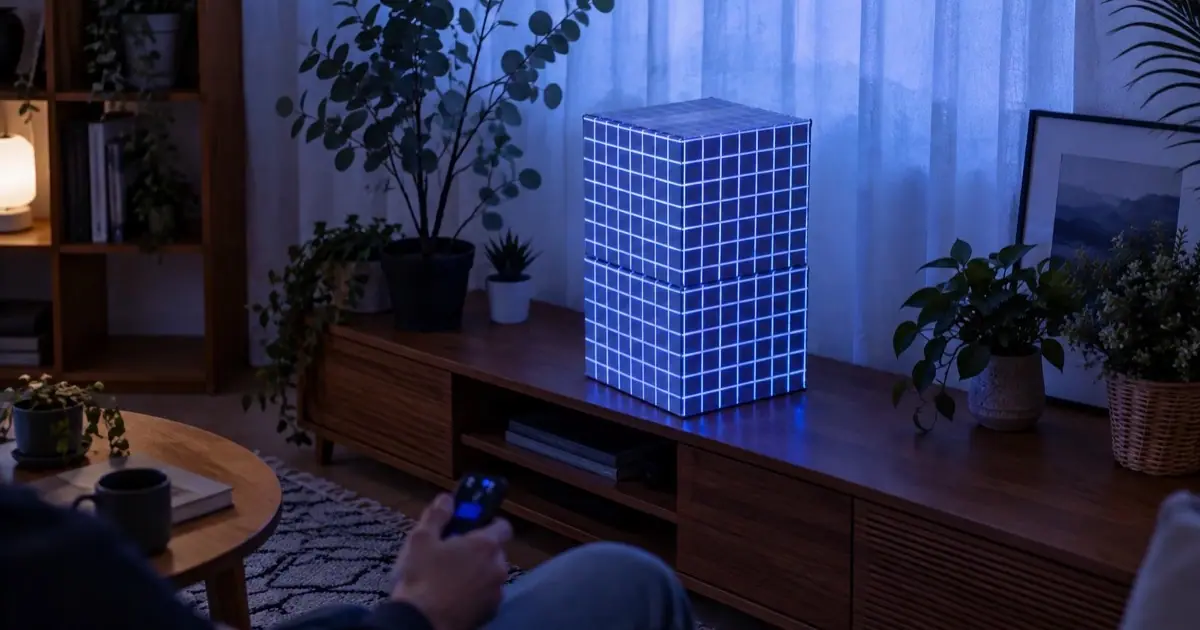
- In Lazy Lighting, the Cube shape handles a box: position it over the box by hand and confirm, and it becomes one linked face per visible side. The Box shape does the same for the inside of a box, like a shelf cubby. Expect under 20 minutes for your first box.
Famous projection mapping examples
- The Washington Monument, 2019. For the 50th anniversary of Apollo 11, the Smithsonian's National Air and Space Museum projected a full-size, 363-foot Saturn V rocket onto the monument's east face, then ran a 17-minute show, Apollo 50: Go for the Moon, made by 59 Productions.
- Disney parks. The singing busts in Disneyland's Haunted Mansion have used projected faces since 1969, and Magic Kingdom's nighttime shows project onto Cinderella Castle.
- NHL pregame shows. Arenas turn the ice into a screen before the puck drops, with rinks cracking open, team logos and player intros mapped across the surface.
- Light festivals. Vivid Sydney lights the sails of the Sydney Opera House, Lyon's Fête des Lumières maps churches and public buildings every December, and Florida's Digital Graffiti festival in Alys Beach projects art across the town's white walls.
- Ads and launches. Audi's 2016 "Projection of Greatness" commercial for the Q7 was filmed with real projection mapping instead of computer graphics, and car launches regularly run light across a car's body.
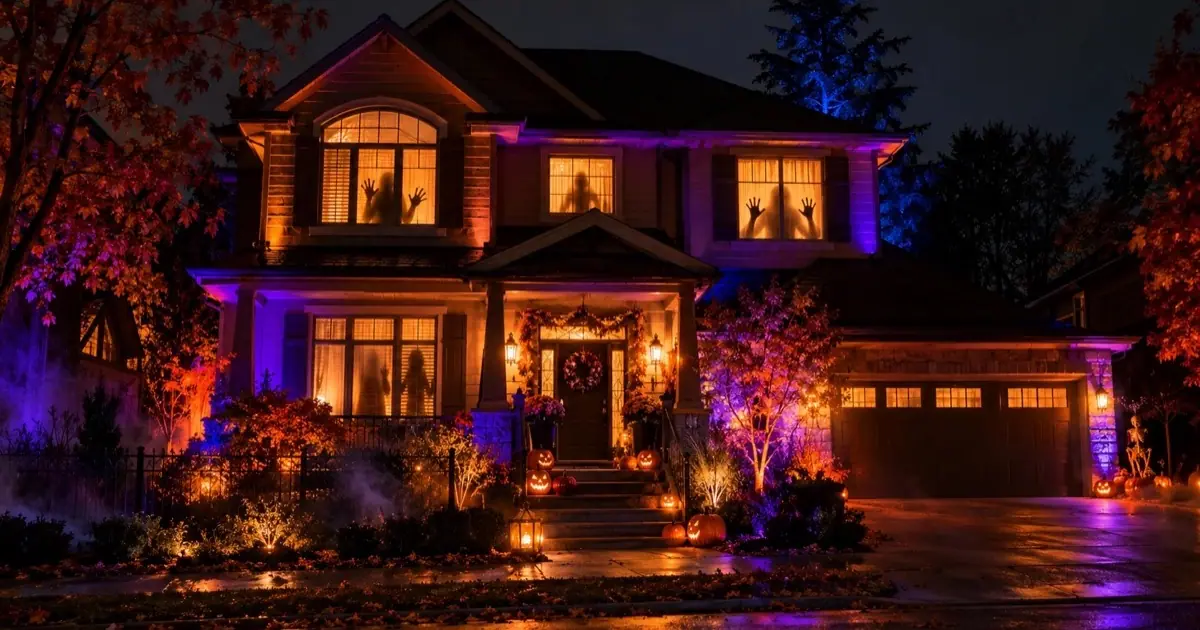
- Halloween house displays. → Ghosts in the windows, a jack-o'-lantern face on a pumpkin, a whole house front coming alive. Lazy Lighting includes 45 Halloween scenes.
- Christmas displays. → Falling snow in a window, wrapping-paper patterns on the garage door, a mapped house front. Lazy Lighting includes 30 Christmas scenes.
- Rooms and parties. A bedroom wall laid out like picture frames, a stack of boxes by the TV pulsing to music, the front of a DJ booth.
How professional projection mapping shows are made
A building show takes weeks or months, and most of that time goes into planning and content, not projection.
- 1
Survey the surface. The team measures the building or object with a laser scanner, photogrammetry or architectural drawings and builds an accurate 3D model of it.
- 2
Make a content template. The model is flattened into a template at the projectors' combined resolution, showing every window, ledge and edge, so animators know exactly where each detail will land.
- 3
Create the content. Animators work in tools like After Effects, Cinema 4D, Blender, Notch or Unreal Engine, often painting in fake shadows and depth so a flat facade appears to fold, crack or open.
- 4
Plan the projectors. Previsualization software places virtual projectors around a 3D model of the site to choose brightness, lenses, positions and overlap before anything is rented. Large facades often need several projectors of 20,000 lumens or more.
- 5
Install and calibrate. On site, the projectors are rigged, often in weatherproof housings, and aligned. Cameras can automate most of the alignment; the last corrections are made by eye. Edge blending fades the overlaps.
- 6
Run the show. A media server, such as disguise, Pixera, Dataton WATCHOUT or Resolume Arena, plays the content to every projector in sync, often locked to timecode with the music and lighting.
Where projection mapping came from
- 1958. Josef Svoboda's Laterna Magika at Expo 58 in Brussels combines projected film with live performers on stage.
- 1969. Disneyland's Haunted Mansion projects filmed singing faces onto blank busts, one of the earliest well-known examples.
- 1980. Artist Michael Naimark films a furnished room, paints everything in it white, then projects the film back onto it for his installation Displacements.
- 1984. Sunday in the Park with George is often cited as the first Broadway production to use projection mapping.
- Late 1990s. Researchers at the University of North Carolina, including Ramesh Raskar, publish work on projecting onto real objects under the name spatially augmented reality.
- 2000s and 2010s. Brighter projectors and dedicated mapping software turn building facades into festival art, from Lyon to Sydney, and NHL arenas start mapping the ice.
- 2019. A Saturn V rocket is projected onto the Washington Monument for the Apollo 11 anniversary.
- Today. Phones are fast enough to warp and render video live, so projection mapping no longer needs a laptop.
Map it from your phone
Lazy Lighting turns your phone into a projection mapping tool for any projector, on iPhone, iPad and Android.
Free to download · optional Pro
Projection mapping vs. LED screens and holograms
These get mixed up a lot, partly because news stories call almost anything that glows a hologram.
| Recurso | How it works | Example |
|---|---|---|
| Projection mapping | Light from projectors, shaped by software to fit real surfaces | The Saturn V on the Washington Monument |
| Regular projection | One flat rectangle on a screen or wall | A home theater |
| LED screens | The surface itself is made of LEDs and gives off light, so it works in daylight | The Sphere in Las Vegas |
| Stage "holograms" | Usually Pepper's ghost: an image reflected in angled glass or foil so it seems to float | The Tupac performance at Coachella in 2012 |
- The practical difference: projection mapping works on surfaces you already have, but only in the dark. LED works in daylight, but you have to build the screen.
What you need for projection mapping
- A projector with an HDMI input. Any model works, because the software does the geometry. Brightness decides where it works. After dark, plan on about 300 ANSI lumens for objects and windows indoors, 500 to 1,000 for a wall in a dim room, 3,000+ for a garage door and 4,000+ for a house front.
- A phone, tablet or computer running mapping software. Lazy Lighting runs on iPhone, iPad and Android phones and tablets. There is no Mac or Windows version; on a computer, desktop tools like MadMapper, Resolume Arena, HeavyM and TouchDesigner do the job.
- A way to connect them. A USB-C or Lightning to HDMI cable is the most reliable. Wireless works too: AirPlay from an iPhone or iPad, screen mirroring on Android phones that support it, or the Lazy Lighting Link app on an Android TV or Google TV projector, or on a Chromecast with Google TV plugged into any projector's HDMI port.
- A surface. Matte and light-colored works best: a white door, a wall, a cardboard box, or a window with a white sheet hung on the inside of the glass.
- Something steady, and darkness. A tripod or shelf so the projector can't move once you've mapped, and a dark room or a night outside. Lamps, TVs and streetlights wash the effect out.
How much does projection mapping cost?
At home, the projector is the only real expense. Professional shows cost far more because they rent very bright projectors and pay for content made for one building.
| Project | Typical cost | What the money goes on |
|---|---|---|
| Indoors at home | About $100–800 | Objects, walls and windows: a portable projector (about $70 for a compact LED, several hundred for a small laser model) and a $15–50 HDMI adapter. Your phone runs the show. |
| House front | About $1,500–2,500 | Halloween or Christmas outdoors: a new projector with 4,000+ ANSI lumens (a used office projector costs less), a stand or shelter, and a long HDMI cable or wireless link |
| Events, buildings | $5,000 to six figures | Rented 10,000+ lumen projectors, media servers, content made for the venue and a crew to run it |
- Software is the smaller line. Lazy Lighting is free to download, with an optional Pro plan. Desktop tools like MadMapper and Resolume Arena sell professional licenses, and TouchDesigner is free for non-commercial use.
- Spend on brightness, not features. Mapping replaces keystone and lens shift in software, so a cheap projector maps as accurately as an expensive one.
Projection mapping software
Software is where the warping and masking happen, and the main choice is the device you want to run it on and the size of the show.
- Lazy Lighting projection mapping app → runs on iPhone, iPad and Android phones and tablets. You draw shapes on the phone while watching the projection, then fill them with 190+ built-in visuals or your own videos and photos. It drives one projector, which covers most home and party projects.
- Desktop projection mapping software → such as MadMapper, Resolume Arena, HeavyM and TouchDesigner runs on Mac or Windows. It's the right choice when a project needs several projectors blended into one image, DMX lighting control or long timed shows.
- Media servers such as disguise, Pixera and Dataton WATCHOUT run large multi-projector shows on dedicated hardware and are usually rented along with the projectors and crew.
How to start projection mapping at home
- 1
Pick one flat surface. A door, a section of wall or a window in a room you can darken. Clear edges make the result look deliberate.
- 2
Set up the projector. Put it on a tripod or shelf, focus it, and turn auto keystone off so it doesn't fight your mapping.
- 3
Connect your phone. Plug in the HDMI adapter or connect wirelessly, and switch the projector to that input.
- 4
Map the surface. In Lazy Lighting's Mapping screen, add a Square and drag its corners onto the real corners. Watch the projection, not the phone.
- 5
Add a visual. Tap Play and fill the shape with a built-in visual or your own video. Then add more shapes, a mask, or move on to a box.
Projection mapping terms
- ANSI lumens: the standard measure of projector brightness. Many store listings quote bigger, unofficial "lumens" numbers, so compare ANSI or ISO figures.
- Throw ratio: the distance to the surface divided by the image width. A projector with a 1.2 throw ratio makes a 10 ft wide image from 12 ft away.
- Keystone correction: the projector's own fix for an image thrown at an angle. Turn it off when mapping; the software corrects the shape more precisely.
- Warping, or corner pinning: dragging the corners of a shape onto the real surface so the image fits it.
- Masking: blacking out everything outside your shapes, so the light stops at the edges.
- Edge blending: fading the overlap between two projectors so they read as one seamless image.
- Content template: a flat drawing of the surface at the output resolution, used to make content that lines up with it.
- Media server: the computer and software that play a show's video to the projectors.
- Previsualization (previz): a 3D simulation of the projection used to plan a show before installing it.
Frequently asked questions
- What is projection mapping in simple terms? Projecting video onto a real object instead of a screen, with software that bends the picture to fit the object's shape so the light stops at its edges.
- What is projection mapping used for? Building shows and light festivals, concerts and theater, theme parks, NHL and other arena pregame shows, product launches, museums, art installations, restaurants, and Halloween and Christmas displays at home.
- What's the difference between projection mapping and normal projection? Normal projection fills a flat rectangle on a screen or wall. Projection mapping uses the same kind of projector, but software warps the image onto the shapes of real surfaces and blacks out everything else, so it can cover a box, a window or a building from an angle.
- Is projection mapping the same as video mapping? Yes. Projection mapping, video mapping and spatial augmented reality are names for the same technique. "3D projection mapping" usually means mapping a volume, like a box or a building, rather than a flat wall.
- Is projection mapping a hologram? No. Projection mapping lights real surfaces, so the image sits on the object. Stage "holograms" are usually Pepper's ghost reflections in angled glass or foil.
- Is projection mapping hard? Not at home. A flat surface takes a few minutes in a phone app, and a box under 20 minutes. Building shows are hard because of the content and the number of projectors, not the mapping itself.
- Do I need a special projector? No. Any projector with an HDMI input works. Brightness is what matters: about 300 ANSI lumens for indoor objects and windows, 3,000+ for a garage door and 4,000+ for a house front, all after dark.
- Does projection mapping work in daylight? Not well. Projected light can't compete with the sun, which is why light festivals and house displays start after dusk. Indoors, darkening the room helps more than anything else.
- Can I do projection mapping with just my phone? Yes, plus a projector. Lazy Lighting runs the mapping and the visuals on an iPhone, iPad or Android phone or tablet, and connects by HDMI cable, AirPlay, Android screen mirroring or the Lazy Lighting Link app on an Android TV or Google TV projector or a Chromecast with Google TV.
- Can I try projection mapping without paying? Yes. Lazy Lighting is free to download, and the free plan includes the mapping shapes and about 20 visuals, with a small watermark on the projector output. Pro (monthly, annual or lifetime) adds every visual, audio-reactive visuals, BPM sync, MIDI, LFOs, live camera input, video export up to 4K, project saving and no watermark, and the monthly and annual plans start with a free trial.
- Can I do projection mapping on a Mac or Windows PC? Not with Lazy Lighting, which runs on iPhone, iPad and Android. On a computer, desktop tools like MadMapper, Resolume Arena, HeavyM and TouchDesigner handle projection mapping.